


Two of the seven data integration tools in this comparison publish a price. The other five do not, and they decline in five different units – a custom quote, package-based pricing, volume plus job executions plus duration, editions metered in Workbots and concurrency, and a scoped services engagement. Those five refusals are the finding, and no ranking page for this term prints them.
So this comparison is organised around what each vendor will tell you before you talk to anyone. Boomi prints $99 a month plus usage. MuleSoft prints a $2,000 a month floor and a $50K minimum on one of its three buying models. Annualised, that is roughly $1,188 against $50,000 – a 42x gap between the two vendors here that both answered the question.
This is an iPaaS and enterprise application integration list: platforms that connect applications to each other and to your warehouse. If you came looking for Fivetran, Airbyte or Informatica, they are warehouse ELT and they are not here – the section below the methodology says why, and links to the post that does rank them.
7 Best Data Integration Tools: Quick Comparison
| Tool | Best For | Public Reviews | The Catch | Starting Price | Access |
|---|---|---|---|---|---|
| 1Boomi | Starting without a sales call | G2 – neatly laid-out menus and good docs praised; getting at logs called unintuitive | The $99 is a floor with usage on top | $99/mo plus usage | 30-day free trial |
| 2Jitterbit | Integration plus app building | G2 – visual mapper called intuitive for XML and JSON; one sync timed at ten minutes | No published price, annual contract mandatory | Not public | Sales call, annual contract |
| 3Algoscale | Systems with no connector | No G2 listing – published case-study evidence only | A services engagement, so no trial and no rate card | Scoped per project | Scoping call |
| 4SnapLogic | Runtime inside your network | G2 – drag-and-drop Snaps praised; previewing data in production called difficult | Control plane stays in their cloud either way | Not public | Demo only |
| 5MuleSoft | APIs and integration together | G2 – API usage tracking praised; the steep learning curve is the recurring complaint | A $50K minimum applies on the Pre-Commit model | From $2,000/mo, billed annually | 30-day free trial |
| 6Workato | Automating a business process | G2 – community-built connectors praised; moving a recipe dev to prod called clumsy | Editions are metered in units, not dollars | Not public | Trial sign-up only |
| 7Qlik Talend | SAP and mainframe sources | G2 – 2023 reviews praise the drag-and-drop mapping; one names weak third-party cloud support | The connectors you came for sit at the top edition | Not public | Contact Us on all four editions |
Not sure which of these fits your stack?
Tell us what you are running today and what you need it to do. We will tell you which of these we would pick, and why. We are not going to pitch you.
How We Researched These Data Integration Tools
We attempted ten ranking pages for this keyword and opened nine – one, cybic.ai, returned a 404 on the day we read it. Six of those nine rank any product at all, and four of the six are warehouse ELT lists. That is why a head-term search for this phrase returns a category this narrow. The six data integration software vendors here were selected from what the iPaaS-shaped pages rank, then researched one by one against their own published pages on 4 and 5 November 2026.
Nothing was trialled, and nothing was signed up for. Boomi and MuleSoft both offer a self-serve or 30-day trial; we did not take either, because we do not open vendor accounts for a comparison. That is our constraint, not a vendor restriction, and it means there is no dashboard screenshot and no hands-on narrative anywhere in this post. Jitterbit and SnapLogic have no self-serve route at all. Workato offers a trial sign-up and Qlik a free trial of Qlik Talend Cloud, but neither publishes a price to go with it.
For reviews we read the first page of each vendor’s G2 listing, default sort, logged out – ten cards per vendor, sixty in total. Fifty of those sixty carry an Incentivized badge, and thirty-six are specifically seller-solicited. That is page one only, not a claim about all 510, 645, 894, 858, 411 or 67 reviews. Five of the twelve quotes in this post carry no incentive badge: the Boomi praise, both SnapLogic quotes and both Talend quotes. Every G2 count here is a reading taken on 5 November 2026 – two of them moved by one during the day.
Reddit could not be read. The site blocks automated reading, and we will not work around it. So no practitioner thread is quoted, and every opinion in this post is either a vendor’s published claim or a signed G2 review you can open.
One name is missing on purpose. Informatica is the most-cited vendor on this SERP, at six of ten pages, and we cut it – not because it is weak, but because we already rank Informatica IDMC at number five in our data pipeline tools post and Informatica’s governance product in our governance roundup. A third entry would be the same vendor sold back to the same reader for the third time.
What we weighed, heaviest first
- Can you see the price – it is the first thing a buyer needs, and five of these seven vendors refuse it in five different units
- How long to the first useful result – a 30-day trial and a mandatory annual contract are different purchases, whatever the feature list says
- Where the runtime actually executes – in this category it decides the security review: whether your data passes through the vendor or stays in your own network
- Does it reach the systems you already run – a connector catalogue is only as useful as its coverage of your estate, and SAP, a mainframe and a decade of acquisitions are where catalogues stop
- What happens as you grow – usage, credits, Workbots and job duration all move the bill after the entry price, and the entry price is the only number most of these pages print
- What the review corpus is worth – it ranks last because we can verify it least – and because fifty of the sixty cards we read were incentivized, which has to be said before any of them is quoted
iPaaS or Warehouse ELT: Which One Is Your Problem?
This keyword returns two different products under one name, and buying the wrong one wastes a quarter. Warehouse ELT moves rows from a source into a warehouse on a schedule so analysts can query them: Fivetran, Airbyte, Matillion, Hevo and Informatica’s IDMC all live here. iPaaS connects applications to each other so a record created in one appears in another, with triggers, branching and error handling: Boomi, SnapLogic, MuleSoft, Workato and Jitterbit live here.
The tell is what breaks when the integration stops. If a dashboard is stale tomorrow morning, your problem is ELT. If an order never reached the ERP, or a new hire never appeared in the HR system, your problem is iPaaS. Plenty of companies have both and buy both, which is fine – what does not work is expecting a connector catalogue to run a business process.
This post covers the iPaaS side only. The warehouse ELT side is a separate comparison: our data pipeline tools roundup ranks Fivetran, Airbyte, Hevo, Matillion and Informatica IDMC among twenty entries, and our Fivetran alternatives post covers the same ground from the other direction. Zero vendors are shared between that list and this one.
| What you are trying to fix | What to buy | Why |
|---|---|---|
| A dashboard is stale and nobody knows which load failed | Warehouse ELT | The job is scheduled extraction into a warehouse, which is what Fivetran, Airbyte, Matillion and Hevo are built for |
| An order placed in one system never reached another | iPaaS | The job is an event, a trigger and error handling between applications, not a nightly table copy |
| Source systems cannot be reached from the public internet | iPaaS with a self-managed runtime | A hosted-only connector cannot see inside your network; SnapLogic’s Groundplex and Boomi’s in-environment runtime can |
| The business process has approvals and branches in it | Process automation | Workato’s recipe model is built for that shape; a pipeline tool has no concept of an approval |
| The systems are too many, too old or too specific for any catalogue | Custom engineering | A dozen inherited ERPs is not a connector problem, and no catalogue vendor will quote it as one |
- Warehouse ELT names you will not find below: Fivetran, Airbyte, Matillion, Hevo, Informatica IDMC
- iPaaS names you will: Boomi, Jitterbit, SnapLogic, MuleSoft, Workato, and Qlik Talend on the enterprise edge of both
1. Boomi: Best for Starting This Week Instead of Next Quarter
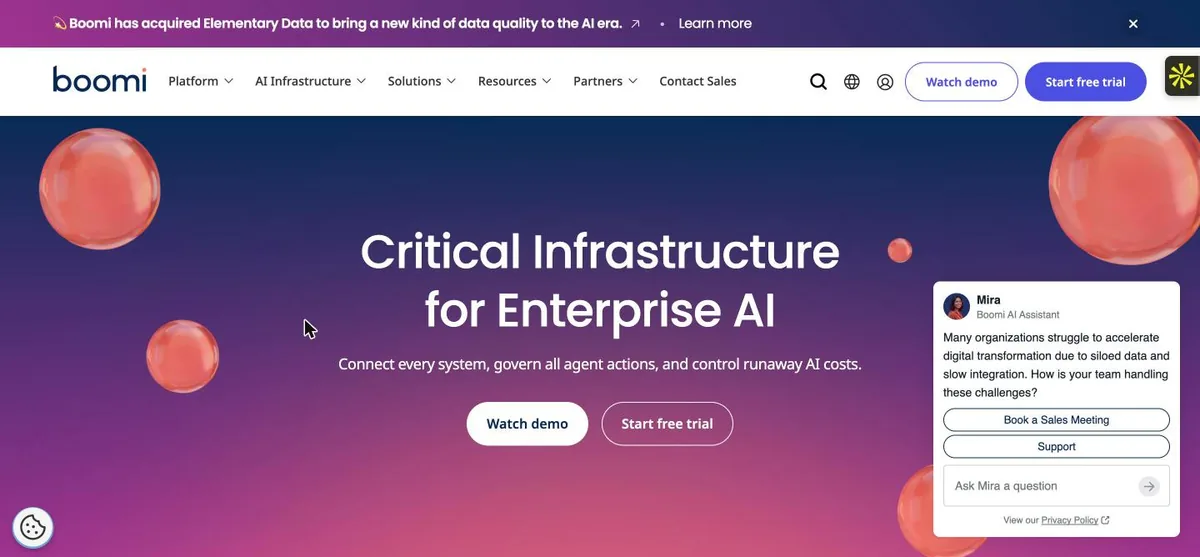
What it does: An integration platform you can start on a card and grow into an enterprise contract, with the runtime deployed where your data is.
Who this is for: Teams who need a first integration running before a procurement cycle could finish, and who expect to grow into an enterprise contract later
Boomi is first here because it answers the two questions this category usually dodges. It prints a number – $99 a month, plus usage, billed monthly – and it offers a 30-day trial at $0. What no other vendor here offers is a floor you can act on without committing $2,000 a month.
Its own pricing page then undercuts itself. The $99 card advertises “Self-service, frictionless signup via credit card” and “No contract, get started now”, under a button reading Talk to sales. The card signup belongs to the trial beside it. Every subscription edition says Talk to sales with no figure at all.


Key Features
- Pay-as-you-go entry at $99 a month with a 30-day trial and no sales call
- Runtime deployed in your own environment, so data is processed there rather than passing through the vendor
- A pre-built connector library the vendor numbers at 1,500+
- Four separately licensed product lines with four different edition ladders – Integration and API Management run to Enterprise Plus, Data Hub has two tiers, Data Integration four
Pros and Cons
Pros
- Data stays in your environment, which shortens the security review
- Four product lines mean you buy the part you need rather than a suite
- A free 30-day trial with its own Start free trial button, so the first integration does not wait on a sales call
Cons
- The $99 entry is pay-as-you-go “plus usage”, and the usage is what moves the bill
- Four separately licensed lines is also four things to price before you can compare
- Its own platform page gives two different connector counts, 1,500+ and 1000+
- Its own pricing page sells the $99 tier on “frictionless signup via credit card” under a Talk to sales button
What Users Say
Boomi has an easy-to-use interface, with neatly laid-out menus and submenus. It also provides good documentation links and separate services such as Data hub and Integration, which makes low coding feel effortless.
Ajinkya J. on G2Senior Infrastructure Engineer, mid-market, 7 September 2026. No Incentivized badge and no seller invite – one of only five unbadged quotes in this post.

I dislike the UI (User Interface). Personally, I much prefer the UI in SAP Cloud Integration or SAP Integration Suite. I find accessing everyday tasks, like accessing logs, to be unintuitive in Boomi.
Paul B. on G2Solution Architect at an enterprise, 2 November 2026. Incentivized, on a G2 invite. A comparison against a named competitor rather than a generic complaint.
Pricing
$99 a month on Pay-As-You-Go, printed as “plus usage, billed monthly”. The usage is unquantified on the page, so $99 is where the bill starts, not what it is.
A separate 30-day free trial at $0, which is the card with the Start free trial button.
Every subscription edition says Talk to sales. The four product lines do not share one ladder: Integration and API Management each run Standard features, Professional, Professional Plus, Enterprise, Enterprise Plus; Data Hub has two tiers; Data Integration has four, Base through Enterprise.
Bottom Line
The one platform here you can evaluate this week on your own card, with a published floor and a trial – as long as you read the $99 as the start of a bill.
Start here if you want to be integrating this week rather than negotiating this quarter, and accept that the $99 entry price is a floor with usage on top.
2. Jitterbit: Best for Buying Integration and the App on One Contract
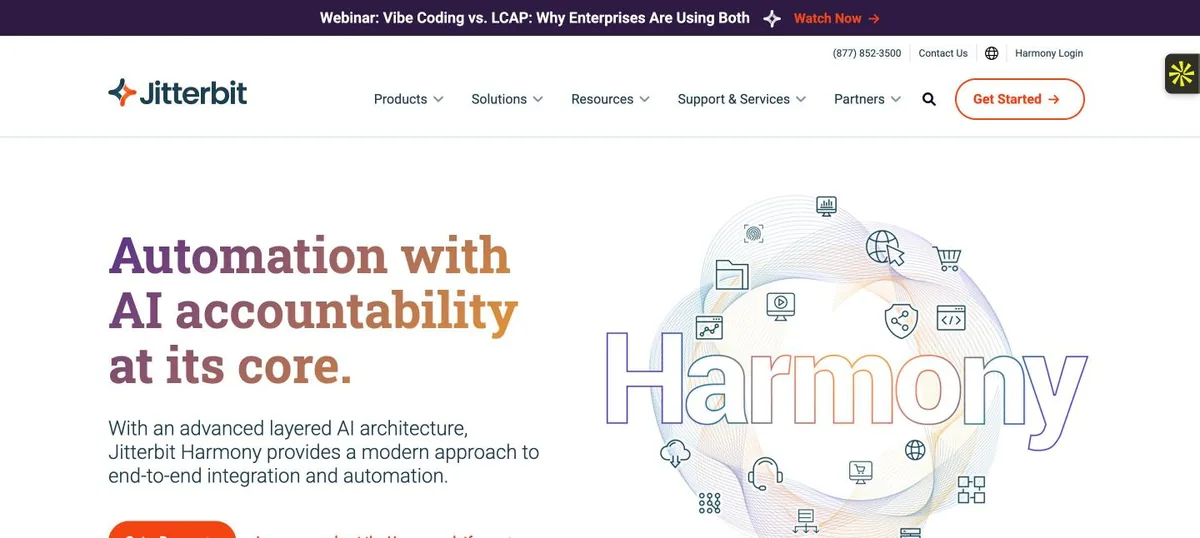
What it does: An integration platform sold alongside a low-code app builder, so the same vendor covers moving the data and building the thing that uses it.
Who this is for: Teams buying integration and the application built on top of it from one vendor, on one annual contract
Jitterbit sells two things on one platform: an iPaaS with three editions, and a low-code App Builder with four. That is the argument for it – the integration and the application a user actually opens come from one vendor, on one contract, with one support relationship behind both.
The pricing page carries no figure and no currency symbol. What it does carry, verbatim, is “We offer custom pricing based on your requirements” and “All products require an annual contract”. So the comparison with Boomi is not cheaper against dearer; it is a known monthly floor against a mandatory year.


Key Features
- iPaaS and a low-code App Builder sold by the same vendor, on the same contract
- Three iPaaS editions and four App Builder editions
- Annual contract required on every product
- A visual mapper for transformations between formats, which is what its reviewers single out
Pros and Cons
Pros
- One vendor and one contract for integration plus the application layer on top of it
- Edition ladder covers mid-market through enterprise without changing platform
- A reviewer calls the visual mapper intuitive for complex XML and JSON transformations
Cons
- No published price of any kind, so no budget can be sized without a sales call
- Every product requires an annual contract, which rules out the month-to-month start Boomi allows
- One reviewer reports a sync taking around ten minutes where other software takes two
- All ten reviews on page one of its G2 listing are incentivized, so there was no unsolicited quote to pick
What Users Say
Drag-and-Drop Data Transformation: The intuitive visual mapper simplifies complex XML/JSON transformations, noticeably cutting down development overhead
Piyush G. on G2Developer, mid-market, 23 October 2026. Incentivized, G2 invite on behalf of seller. Quoted as published.

I’m experiencing some speed issues with Jitterbit. When I sync data, it takes around 10 minutes, while other software can handle it in just 2 minutes.
Sebastien P. on G2IT Manager, mid-market, 6 October 2026. Incentivized, G2 invite on behalf of seller.
Pricing
Not public. No figure and no currency symbol anywhere on the pricing page, for either product.
Three iPaaS editions – Standard, Professional, Enterprise – and four App Builder editions, differentiated by feature, since no edition carries a price.
Verbatim from the page: “We offer custom pricing based on your requirements”, and “All products require an annual contract”.
Bottom Line
A reasonable shortlist entry when the application matters as much as the integration, and a poor one if you need to size the spend before the first meeting.
Two products on one contract is the reason to take the call. The annual commitment is mandatory either way, so if you only need the pipes, you are paying a year for half a platform.
3. Algoscale: Best for Systems Nobody Wrote a Connector For
What it does: Algoscale is not a tool on this list – it is the data engineering team that builds the integration when the systems are too many, too old or too specific for a connector catalogue.
Who this is for: Organisations carrying the systems of companies they acquired, where the integration problem is bespoke rather than catalogue
We are in this list because the question after “which platform?” is usually “who connects the things the catalogue does not cover?”, and no shortlist answers it. For a US physical security and fire systems integrator we unified 14+ subsidiary ERPs with Dynamics 365 CRM, UKG HRMS and OneStream FPA as endpoints, into one governed warehouse on AWS.
The ingestion was change data capture from those fourteen Business Central instances and the CRM using AWS DMS, not nightly extracts. On a separate engagement, a Salesforce-to-Redshift-to-Tableau pipeline ran on managed Airflow – EKS for the proof of concept, then MWAA in production – inside the client’s own AWS account.


Key Features
- Integration of systems no connector catalogue covers, including subsidiary ERPs with no modern API
- Pipelines built for failure recovery rather than for the happy path
- Row-level security applied at the BI layer, not bolted on afterwards
- Change-data-capture ingestion rather than batch extracts, run on managed Airflow in the client’s own AWS account
Pros and Cons
Pros
- Answers the case the iPaaS vendors quietly exclude: systems with no connector and no modern API
- The reliability number is published and specific – 99.9% daily success with failure recovery, not an uptime SLA
- The latency improvement is stated as a before and after, not as a capability: 6-12 hours down to under 60 minutes, with dashboards refreshed up to 24 times a day
Cons
- A services engagement, not a product: no trial, no self-serve tier, no rate card
- You may still license an iPaaS underneath for the connectors that do exist
- Per-project scope makes it hard to compare against a per-seat or per-connector price
What Users Say
Fully automated billing workflows, reducing manual errors by over 85% and eliminating reporting gaps.
A VC-backed voice AI platform on Case studyFrom the Values Delivered section of our own published case study, not a third-party review. The same section records a 99.9% daily success rate with failure recovery built in.

Pricing
Not public. Engagements are scoped per project, on the same terms as four of the six other vendors on this list.
There is no trial and no self-serve tier, because there is no product to sign into. The first step is a scoping conversation about which systems have to talk to each other.
If a connector already exists for everything in your estate, you do not need us for this – buy one of the platforms above.
Bottom Line
The right call when the integration is the awkward half of your estate rather than the SaaS half, and the wrong call when a catalogue already covers every system you run.
Bring us in when the integration is the systems nobody wrote a connector for, the ones an acquisition left behind, and the catalogue tools have run out of road.
4. SnapLogic: Best for Keeping the Runtime Inside Your Own Network
What it does: A visual integration platform whose execution engine can run inside your own network, at the same price as running it in theirs.
Who this is for: Teams whose source systems sit inside their own network and cannot be reached from outside it, running a hybrid estate
SnapLogic’s distinguishing feature is where the engine runs. A Groundplex is “a self-managed Snaplex and is hosted by your organization, not by SnapLogic”, and its stated reason to exist is that Groundplexes “allow access to endpoints that are not accessible from outside your organizations network” – published without the apostrophe.
The three packages – Essential, Professional, Enterprise One – cost the same whichever you choose. That matters, because hybrid deployment is usually where a vendor adds a premium. The limit is in their docs: a Cloudplex “does not support custom network configurations”, so a firewall setup or an on-premises install needs a Groundplex.


Key Features
- Groundplex: the execution engine self-hosted on your own nodes, behind your firewall
- Cloudplex: the same engine hosted and maintained by SnapLogic
- Identical package pricing whichever you run
- Pipelines and metadata stored in SnapLogic’s cloud control plane either way
Pros and Cons
Pros
- Hybrid deployment carries no price premium, which is unusual and checkable on their own pricing page
- On-premises systems that cannot be exposed to the internet are a supported case, not a workaround
- A reviewer describes building pipelines by drag-and-drop with Snaps rather than writing code from scratch
Cons
- No published price at all
- Even a Groundplex keeps pipelines and metadata in SnapLogic’s cloud, so self-managed runtime is not self-contained
- The deployment choice constrains the connector choice: a Cloudplex supports no custom network configuration, so firewall setups and on-premises installs need a Groundplex
What Users Say
The drag-and-drop integration style with Snaps makes building pipelines really fast, so I don’t have to write a lot of code from scratch. The AI assistant also suggests the next logical steps in the flow, which saves me a ton of time.
Pavan Simhadri D. on G2Trainee Engineer, mid-market, 31 July 2026. Organic, no Incentivized badge.

Debugging data flow in production can be difficult. Previewing the data moving through a pipeline isn’t straightforward, so we have to rely on logging tools to see what’s happening at each step.
Navyashree T. on G2iPaaS Engineer, mid-market, 6 October 2026. Organic – the strongest unsolicited criticism in the whole set.
Pricing
No figure. Three packages – Essential, Professional, Enterprise One – described as package-based, with the same price on a GroundPlex or a CloudPlex.
Four dollar figures do appear on that page and none of them is a price: three Forrester study outcomes ($3.3M benefits, $2.2M NPV, $1.4M technology cost savings) and one customer testimonial from Nisha Clark, former CIO of Abano Healthcare – “We’ve saved over $250,000 just by the simplicity of the implementation and the cost-effectiveness of the solution.”
If you see one of those numbers quoted as SnapLogic’s cost, it is a study result or a customer’s claimed saving, not a rate.
Bottom Line
Shortlist it when some systems can never face the public internet and you refuse to pay extra for that – then budget from a demo, because the page gives you nothing to budget from.
Shortlist it for the systems that can never face the public internet. The self-managed runtime is a first-class option rather than an upsell, and the control plane still lives in their cloud.
5. MuleSoft: Best for Enterprises Buying APIs and Integration as One Platform
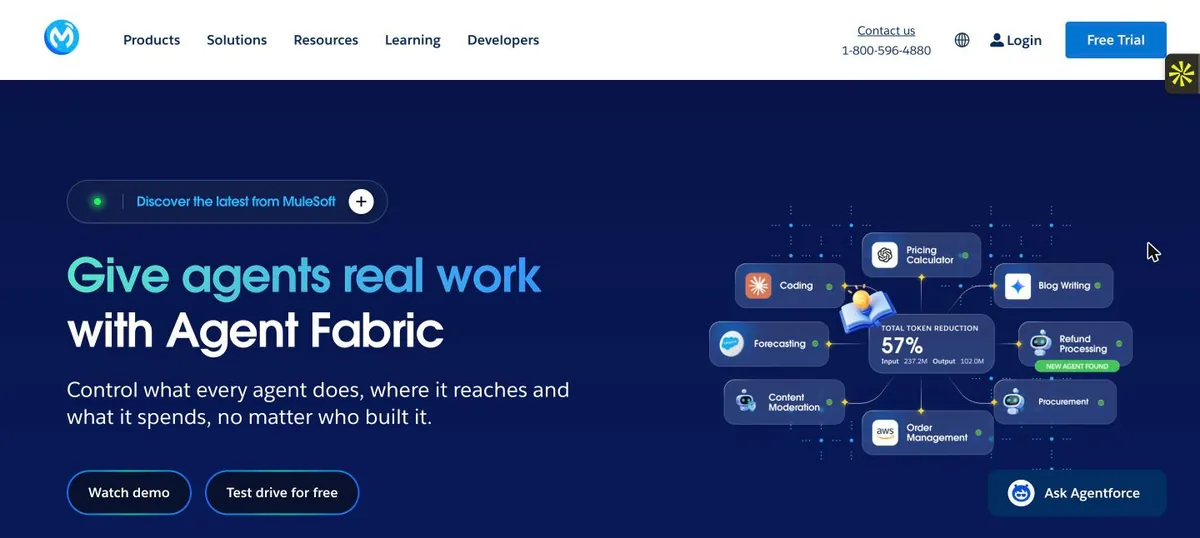
What it does: Salesforce’s enterprise integration and API management platform, bought as one platform rather than as a pipeline tool.
Who this is for: Enterprises with an API programme, able to commit $2,000 a month billed annually – and, if they take the Pre-Commit model, $50K a year
MuleSoft is the only vendor here that publishes both a floor and a minimum. The headline reads “Now $2K” a month, and the FAQ says packages “start at $2,000 per month, billed annually”. Package-level prices are still unpublished, so the $2,000 is an entry point rather than a quote.
The number that decides whether you belong here is on the buying models. There are three – Pre-Purchase, Pre-Commit and Unlimited – and Pre-Commit carries a “$50K minimum annual commitment” while Pre-Purchase says “No minimum credit purchase”. Ask which model you are being quoted before you compare anything.


Key Features
- Integration and API management sold as one platform rather than two products
- Three purchase models including a credits-based pre-purchase
- A published entry price of $2,000 a month billed annually
- 30-day free trial of the full portfolio
Pros and Cons
Pros
- Publishes both a floor and a minimum commitment, which almost nothing else here does
- API management is included rather than bought separately
- The trial covers the full portfolio, not a cut-down tier
Cons
- The $50K minimum annual commitment on Pre-Commit prices out most mid-market teams
- Package-level prices are still unpublished, so the $2,000 floor is where a quote starts
- A reviewer scoring it 2.5 out of 5 names the steep learning curve for developers new to API-led connectivity
- All ten reviews on page one are incentivized, nine of them on a seller invite
What Users Say
The enhanced version, Omni Gateway, is impressive with features that track API usage, helping me understand performance metrics.
Nishanth Reddy V. on G2Lead Integration Engineer at an enterprise, 15 September 2026. Incentivized, seller invite.

One of the biggest challenges with MuleSoft Anypoint Platform is its steep learning curve, especially for developers who are new to API-led connectivity or integration platforms.
Honey s. on G2Salesforce Admin/Developer at a small business, 15 September 2026, scoring it 2.5 out of 5 – the lowest on page one. Incentivized, seller invite.
Pricing
From $2,000 a month, billed annually. The page headline reads “Now $2K” and the FAQ states “start at $2,000 per month, billed annually”.
Three ways to buy: Pre-Purchase (package plus credits upfront, “No minimum credit purchase”), Pre-Commit (a yearly baseline paid monthly, with a “$50K minimum annual commitment”) and Unlimited (a custom fixed annual price). All three cards say Contact sales.
A 30-day free trial of the full portfolio. Package-level prices are not published anywhere on the page.
Bottom Line
The clearest enterprise purchase in this list, because it tells you who it is not for: if $50,000 a year is not a plausible line item, read the Pre-Purchase model or look at Boomi.
Buy it when APIs are the product and the integration is the platform. The published floor is $2,000 a month billed annually; the $50K minimum applies to Pre-Commit only, so check which model you are being quoted.
6. Workato: Best for Automating a Process With Approvals In It
What it does: An automation platform where the unit of work is a recipe – a workflow with a trigger and actions – rather than a pipeline between two systems.
Who this is for: Teams whose unit of work is a business process with a trigger and branching actions rather than a table moved between two systems
Workato’s unit of work is not a pipeline. Its documentation defines a recipe as “an automated workflow that executes a series of steps to integrate and process data across multiple applications”, where “Every recipe has a trigger, which defines the event that starts the workflow”. If the thing you are automating has approvals and branches in it, that shape fits.
The pricing page gives four editions – Standard, Business MCP, Enterprise MCP and Workato ONE – described in Workbots, OPAs, concurrency and log retention, with no figure against any of them. It also says plans “may vary based on your contract terms”, so two customers on one edition need not pay the same.


Key Features
- Recipes: trigger-plus-actions workflows rather than point-to-point pipelines
- Four editions differentiated by Workbots, OPAs, concurrency and log retention
- Pre-built connectors and an agent studio on the same platform
- A community connector library alongside the vendor’s own. One reviewer found a community-built connector for a small payroll system in it
Pros and Cons
Pros
- The recipe model fits business process automation, which is a different job from moving a table
- One platform covers integration, automation, APIs and agents
- The community connector library covers systems too small for a vendor roadmap
Cons
- No published price, and the editions are described in units – Workbots, OPAs, concurrency – that cannot be converted to a bill
- Promoting work between environments is clumsy: a reviewer describes moving every part from dev to test to prod, which blocks other developers on the same recipe
- The vendor’s own page says plans “may vary based on your contract terms and when you joined”, so two customers on the same edition need not pay the same
- G2 carries a vendor-supplied free tier with 50,000 credits that Workato’s own pricing page does not show, so we do not print it as a price
What Users Say
The community support is fantastic; I found a dedicated connector made by the community for a small payroll system we use, which was very helpful.
Pablo L. on G2IT Finance Systems Analyst, mid-market, 23 September 2026. Three badges: Incentivized, seller invite and AI Translated.

In Workato, I feel like I have to move all the parts from dev to prod, dev to testing, which can block other developers from working on or enhancing the same recipe in the development environment. It would be good if the develop process from test to prod is streamlined.
kalyani N. on G2Senior integration developer, mid-market, 24 September 2026, the lowest score on page one. Incentivized, seller invite. Typos as published.
Pricing
Not public. No figure on the vendor’s own pricing page. Four editions – Standard, Business MCP, Enterprise MCP and Workato ONE – described by limits rather than price: Workbots, OPAs, concurrency and log retention. Add-ons are unpriced.
The page says plans “may vary based on your contract terms”, which means an edition name is not a price point.
G2 lists a vendor-supplied Free tier with 50,000 credits. Workato’s own page shows no free plan and no credits at all – it meters in tasks – so we treat that figure as unconfirmed rather than printing it.
Bottom Line
The best fit here when the work is a process and not a pipeline, and the hardest to budget for, because the editions are measured in units that do not convert to money.
Pick it when the thing you are automating is a business process with branches and approvals rather than a data flow, and when nobody needs a budget figure before the first call.
7. Qlik Talend: Best for SAP and Mainframe Sources
What it does: Qlik’s data integration line, the one on this list that reaches SAP applications and the mainframe without a custom connector.
Who this is for: Enterprises with SAP or mainframe systems in scope, where the connector is the whole question
This entry is last because it is the narrowest fit, and it is here because nothing else on the list treats SAP applications and the mainframe as supported sources rather than a custom project. Those connectors sit at the Enterprise edition, the top of four – Starter, Standard, Premium, Enterprise, each with a Contact Us button.
Two warnings. Qlik’s main pricing page prints $300, $825 and $2,750 a month, and those are Qlik Cloud Analytics plans, not data integration – several rival pages quote them against Talend anyway. And the open-source Talend Studio was retired on 31 January 2024; the Talend you can buy today is commercial.


Key Features
- SAP application and mainframe connectivity, at the Enterprise edition
- Log-based change data capture from the Standard edition up
- Capacity-based pricing measured on volume moved, job executions and duration
- Data quality and data products bundled at Premium rather than sold separately
Pros and Cons
Pros
- The only entry here that treats SAP and mainframe as supported sources rather than custom work
- Change data capture is included, not sold as a separate product
- Edition ladder maps to capability, not to seat count
Cons
- No published figure, and the unit combines three variables, so forecasting a bill needs all three
- The capabilities that justify the entry sit at the top edition
- Its G2 corpus is thin and confused – the Qlik Talend Cloud listing carries 13 reviews and its top one is about a different product
- The open-source Talend Studio is gone, so anyone arriving from a 2023 recommendation is being pointed at something that no longer exists
What Users Say
We use can use drag and drop methodology in talend and connection between source database and the target database using talend studio which is used yo ingest the data to target from source
uday t. on G2Consultant, small business, 5 July 2023, on the Talend Data Fabric listing – before the Qlik rebrand. Organic, no Incentivized badge, typos as published. Every first-page review on this listing predates the rebrand, so the reviews and the product evidence in this entry describe different eras.

They retired the open source product, only commercial version available Talend does not have good support for third-party data sources especially cloud based sources
Yassiem D. on G2IT consultant, small business, 26 October 2023, scoring it 1 out of 5 and published under a positive review title. Organic. The retirement it describes was announced in 2023 and took effect on 31 January 2024.
Pricing
Not public. Four editions – Starter, Standard, Premium, Enterprise – each with a Contact Us button and no figure.
Usage is “measured based on a combination of data volume moved, number of job executions and execution duration”, so a forecast needs all three numbers before it means anything.
The figures you may have seen – $300, $825 and $2,750 a month – are Qlik Cloud Analytics plans from a different page. They are not data integration prices, whatever a comparison post tells you.
Bottom Line
Buy it for the connectors nothing else here has, at the edition where they live, and ignore every analytics price quoted against its name.
SAP and the mainframe are supported sources here and custom projects everywhere else on this list. The price of that is a contract measured in volume, job executions and duration, and the connectors sitting at the top edition.
Which Data Integration Tool Should You Choose?
Choose Boomi if:
- You want to be integrating within the week, on your own card
- A published entry price matters more to you than the lowest possible price
- The security review needs data processed in your own environment
Choose Jitterbit if:
- You need the application built on top of the integration from the same vendor
- An annual contract is normal for you anyway
- You are mid-market and want one escalation path for both layers
Choose Algoscale if:
- The systems in scope have no connector, no modern API, or arrived with an acquisition
- You need change data capture and failure recovery rather than a nightly extract
- Nobody internally owns the join between finance, CRM and operations data
Choose SnapLogic if:
- Some source systems can never be reachable from the public internet
- You refuse to pay a premium for hybrid deployment
- You can accept that pipelines and metadata live in the vendor’s cloud regardless
Choose MuleSoft if:
- APIs are a product in your organisation, not a side effect
- $2,000 a month billed annually is a plausible floor for you
- You will ask which of the three buying models a quote is based on
Choose Workato if:
- The work has approvals, branches and exceptions in it
- Business teams will build and own some of the automations
- You do not need a budget figure before the first call
Choose Qlik Talend if:
- SAP applications or a mainframe are in scope
- You need log-based change data capture included in the edition, not bought alongside it
- You can price a contract measured in volume, job executions and duration
Skip this category entirely if:
- Your problem is a stale dashboard rather than a broken business process – that is warehouse ELT, and our data pipeline tools post covers it
- One source database and one destination is the whole requirement – a scheduled job will do, and an iPaaS contract will not pay for itself
- You are NetSuite-first and that is most of the estate – look at Celigo, which we did not rank here but which is built around exactly that case
- Nobody can name which systems must talk to each other, in which direction, and what happens when a record fails – every vendor here will happily sell you a platform before that is answered
What’s the Best Data Integration Tool in 2026?
Boomi, for most teams reading this. MuleSoft also publishes a floor and runs a trial, but Boomi’s is the only published floor here you can act on without committing $2,000 a month, and its runtime sits in your own environment. The honest caveat is in its own words: $99 a month is “plus usage”, and nothing on the page tells you what the usage costs.
Take MuleSoft if APIs are the product: the $2,000 a month floor buys integration and API management as one platform, but check whether the quote is Pre-Commit, because that model carries a $50K minimum annual commitment and the other two do not. SnapLogic if systems cannot face the internet, because the self-hosted runtime costs the same as the hosted one. Workato if the work is a process with approvals in it. Qlik Talend if SAP or a mainframe is in scope, at the Enterprise edition where those connectors live.
What the comparison really shows is how little this category will tell you. Five of these seven refuse a price, in five different units, and one of the two that answers contradicts itself on the same page. A vendor that will not name a number before a demo is telling you what the purchase is going to feel like.
After You Pick the Platform, Someone Still Has to Build It
Every platform above assumes the hard part is already decided: which systems talk to each other, in which direction, what the record of truth is, and what happens when a sync fails at 3am. A connector catalogue does not answer any of that, and neither does a licence. That work – modelling, pipelines, migration, governance and handover – is what our data engineering team does.
It also covers the systems the catalogues skip. On one engagement we unified more than fourteen subsidiary ERPs with Dynamics 365 CRM, UKG HRMS and OneStream FPA into a single governed warehouse on AWS, with change data capture through AWS DMS rather than nightly extracts. On another, a Salesforce-to-Redshift-to-Tableau pipeline reached a 99.9% daily success rate with failure recovery built in.
We are platform-agnostic about the tools in this post. If Boomi or MuleSoft covers your estate, buy it – we will build on top of it. The conversation worth having is about the systems that no vendor on this page will quote you for.
- Source-system discovery: what has an API, what has a database, and what has neither
- Change data capture and orchestration in your own cloud account, not a vendor tenancy
- Modelling and governance – row-level security applied at the BI layer, not bolted on later
- Failure recovery designed in, so a 3am sync failure wakes an alert instead of surfacing on Monday
- Handover: documentation and a team that can run it without us
Ready to put this into production?
Algoscale’s data engineers have built and migrated data platforms for retail, fintech and manufacturing teams. Book a free consultation and we will scope yours with you.
Frequently Asked Questions
What is data integration?
Data integration is the work of combining data held in separate systems so it can be used as one. In practice it splits into two different jobs: moving rows into a warehouse on a schedule for analysis, and keeping applications in step with each other so a record created in one appears in another. The tools in this post do the second job. Our data pipeline tools post covers the first.
What are the top 5 integration tools?
On the evidence in this post: Boomi for a published entry price and a trial you can start today, Jitterbit for buying the application and the integration from one vendor, SnapLogic for keeping the runtime inside your own network, MuleSoft for enterprises buying API management and integration together, and Workato for automating a business process with approvals in it. Qlik Talend is the sixth, for SAP and mainframe sources. Algoscale sits at number three in the ranking above and is not a tool at all – it is the team that builds the pipelines when none of these platforms has a connector for what you run. There is no single best one: these are enterprise integration platforms that answer different questions.
What are cloud integrations?
A cloud integration connects applications and data stores over the internet using a hosted platform instead of software installed in your own data centre. That is what iPaaS means – integration platform as a service – and iPaaS platforms are what six of the seven entries here are. The distinction that matters when buying is where the runtime executes: SnapLogic will run its engine on your own nodes with a Groundplex, and Boomi processes data in your environment rather than passing it through its platform, which is usually what a security review is asking about.
Will AI replace ETL?
No, and nothing on the vendor pages we read for this post claims it will. What is actually shipping is assistance inside the existing model: SnapLogic’s AI assistant suggests the next logical step in a flow, which a G2 reviewer says saves time, and Workato sells an agent studio alongside its recipes. The pipeline, the connector and the error handling are all still there. The work AI is removing is some of the typing, not the integration.