Most organisations that want to adopt AI for business forecasting, customer analytics, or operational optimisation hit the same wall: their data is not ready. Not because the data does not exist – most businesses are generating more data than they have ever generated. The problem is that the data is scattered across systems, inconsistently formatted, poorly documented, and completely disconnected from the analytical layer where machine learning models could use it. Building a Power BI environment on top of this fragmented foundation produces unreliable reports. Training AI models on it produces unreliable predictions. Both failures trace back to the same root cause.
An AI-ready data foundation is a structured, governed, and accessible data architecture that serves both the Power BI reporting layer and the machine learning pipeline simultaneously – without requiring the data to be duplicated, re-transformed, or re-validated for each consumer. Power bi consulting plays a central role in building this foundation, because the semantic layer that makes Power BI reports consistent and trustworthy is the same layer that makes ML model outputs interpretable and actionable for business users. This guide walks through the architectural decisions that AlgoScale’s business intelligence consulting team makes when designing AI-ready data foundations for enterprise clients.
What “AI-Ready” Actually Means for a Data Foundation
An AI-ready data foundation has five defining characteristics that distinguish it from a standard operational data store or a basic Power BI dataset. First, it has consistent entity definitions – customer, product, location, time – that are agreed upon and documented across the business. An ML model that predicts customer churn needs to start from a consistent definition of “customer” that matches the definition used in the Power BI retention dashboard. Second, it has clean, labelled historical data – because ML models learn from history, and if historical data is missing, duplicated, or inconsistently coded, the model learns the wrong patterns.
Third, it has a feature store – a catalogue of pre-computed analytical attributes (days since last purchase, rolling 90-day average order value, supplier on-time delivery rate) that can be reused across multiple models and surfaced as Power BI measures without recomputing them each time. Fourth, it has lineage tracking – so that when a model makes a prediction, any business user looking at the Power BI report can trace that prediction back to the source data that produced it. Fifth, it has a feedback loop – where the outcomes of AI-driven decisions are captured as new data, allowing models to be retrained and improved over time. Building all five requires a bi consulting company with expertise that spans data engineering, governance, and machine learning architecture.
The Medallion Architecture: Bronze, Silver, and Gold Layers
The most widely adopted pattern for an AI-ready data foundation in the Microsoft ecosystem is the Medallion Architecture, built on Azure Data Lake Storage Gen2 with Delta Lake formatting. AlgoScale’s power bi consulting team uses this pattern as the default starting point for clients who want both reliable reporting and a machine learning capability.
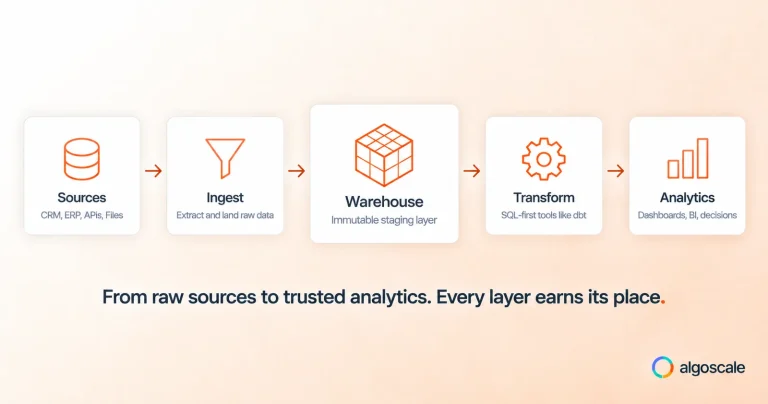
The Bronze layer stores raw data exactly as it arrives from source systems – no transformations, no filtering. This creates an immutable audit trail of everything that ever entered the data estate. The Silver layer applies standardised cleansing, deduplication, and structural harmonisation – a consistent customer record format even if the source data comes from three different CRM systems. The Gold layer contains curated, business-ready tables designed for specific analytical use cases: a customer 360 table for sales analytics, a production summary table for operations reporting, a financial close table for the finance team. Power BI connects to the Gold layer for reporting; ML training pipelines can access Silver or Gold depending on whether they need raw granularity or pre-aggregated features.

Integrating Azure Machine Learning With Power BI
Azure Machine Learning integrates with Power BI through two pathways. The first is Power Query integration, which allows a bi consultant to call a registered Azure ML endpoint directly from a Power Query transformation step – feeding dataset records to the model and receiving predictions back as a new column in the dataset. This approach works well for batch scoring scenarios: classifying customers by churn risk, scoring transactions by fraud probability, or predicting next-month demand for each SKU in a product catalogue.
The second pathway is through Synapse Analytics or Microsoft Fabric Notebooks, where ML model outputs are written to Gold layer tables that Power BI connects to through standard DirectQuery or import mode. This separation keeps the scoring logic in the data engineering layer, makes it easier to retrain and redeploy models without touching the Power BI dataset, and allows the same model outputs to serve multiple consumers – Power BI dashboards, Power Automate workflows, and API callers – from a single scored table. Power bi consulting services from a firm with ML integration experience designs both pathways correctly from the start, rather than retrofitting ML into an existing reporting architecture that was never designed to support it.
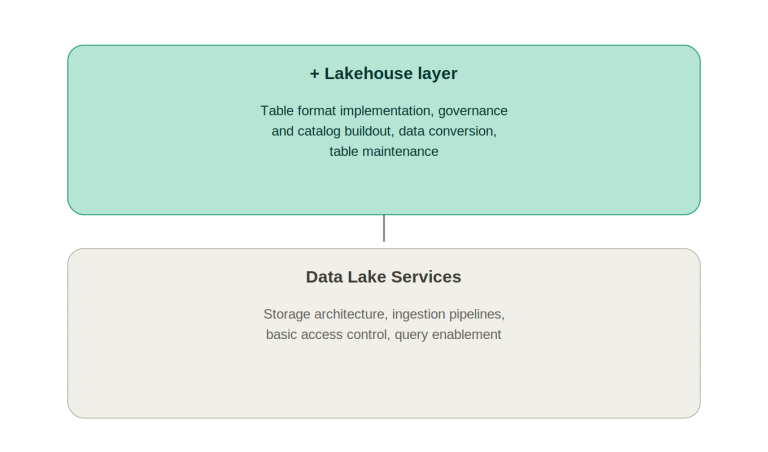
Traditional Data Warehouse vs AI-Ready Data Lakehouse – Power BI Compatibility
| Architectural Dimension | Traditional Data Warehouse | AI-Ready Data Lakehouse |
| Schema Approach | Schema-on-write; rigid | Schema-on-read; flexible for ML and BI |
| Data Format | Proprietary warehouse format | Delta Lake / Parquet; open and portable |
| ML Support | Limited; requires separate data copy | Native; ML reads from same Gold tables |
| Streaming Ingestion | Batch loads; intra-day at best | Real-time Delta Lake writes supported |
| Governance | DW-level; not ML metadata | Purview catalogues models and datasets together |
| Power BI Integration | DirectQuery or import via connectors | Fabric Semantic Model; native OneLake access |
| Cost Scaling | Warehouse compute; expensive at scale | Serverless compute; pay-per-query on lakehouse |
Power BI Copilot and Natural Language Querying on an AI-Ready Foundation
Power BI Copilot – Microsoft’s generative AI layer for analytics – works best when the underlying dataset is well-structured, well-documented, and built on a consistent semantic model. When a business user asks Copilot “What drove the increase in customer acquisition cost last quarter?”, the quality of the answer depends entirely on whether the data model has a clean date table, a properly defined customer acquisition cost measure, and a set of dimension attributes that allow Copilot to drill into drivers meaningfully. A semantic model built without these foundations returns generic or incorrect Copilot responses – which destroys trust in the AI feature and by extension in the platform.
AlgoScale designs Power BI semantic models for Copilot readiness as a standard part of every engagement: every measure has a description, every dimension attribute has a category assignment, and the Q&A synonyms for key business terms are configured. This is not an additional cost – it is the discipline of building semantic models correctly, which delivers benefits both for Copilot and for every other analytical use of the dataset.

Governance of the AI-Ready Data Foundation
A data foundation that is AI-ready in architecture but ungoverned in practice creates as many problems as it solves. Without lineage, there is no way to audit which training data produced a model that is making high-stakes predictions. Without a data catalogue, the feature store becomes a collection of tables that no one can find or trust. Without access controls, sensitive model outputs – credit scores, health risk classifications – reach users who should not have them.
AlgoScale’s business intelligence consulting approach treats the governance layer as an integral part of the AI-ready data foundation, not a separate workstream. Microsoft Purview provides data catalogue, lineage, and sensitivity classification for both the data estate and the Power BI semantic layer. Unity Catalog in Databricks environments manages table-level access control and ML model lineage. The combination gives data engineers, ML engineers, and business analysts a single, governed environment they can all work in confidently – and gives compliance teams the audit trail they need when AI-driven decisions come under scrutiny.
AI-Ready Data Foundation – Build Phases and AlgoScale Deliverables
| Phase | Activities | Duration | AlgoScale Deliverable |
| Assessment | Source system inventory; data quality audit; gap analysis | 2–3 weeks | Data readiness report; prioritised remediation plan |
| Bronze Layer | ADF pipelines for raw ingestion; Event Hub streaming setup | 3–4 weeks | Automated ingestion to ADLS; ingestion monitoring |
| Silver Layer | Cleansing rules; deduplication; schema standardisation | 4–6 weeks | Clean tables; data quality dashboard in Power BI |
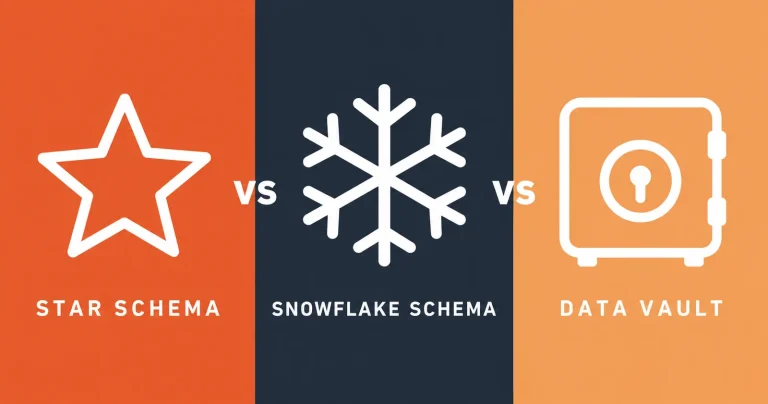
| Gold Layer | Star schema models; feature store tables; KPI definitions | 4–6 weeks | Certified Power BI datasets; documented measures |
| ML Integration | Azure ML endpoints; Fabric Notebooks; scoring pipelines | 4–8 weeks | Predictive columns in Power BI; retrain schedule |
| Governance | Purview catalogue; sensitivity labels; lineage registration | 2–3 weeks | Catalogued data estate; Purview scan schedules |
Data Quality as a Prerequisite for AI Accuracy
Machine learning models are only as good as the data they are trained on. A demand forecasting model trained on historical data that contains systematic errors – duplicate transaction records, incorrect unit-of-measure codes, missing records from a system migration – will produce forecasts that incorporate those errors as if they were real patterns. When the model underperforms, diagnosing whether the problem is a model architecture issue or a data quality issue requires significant investigative effort. Building data quality controls into the foundation before ML training begins eliminates this ambiguity and produces better models faster.
AlgoScale’s power bi consulting approach to AI-ready foundations includes a data quality layer in the Silver tier of the Medallion Architecture: rules that flag records that fail validation checks, a data quality dashboard in Power BI that monitors quality metrics by source system and data entity, and a remediation workflow that routes quality issues to the appropriate data steward for resolution. This Power BI data quality dashboard becomes a management tool for the data engineering team and a trust signal for the business users and data scientists who consume the curated Gold layer tables.
The Role of a Feature Store in an AI-Ready Power BI Environment
A feature store is a central repository of pre-computed analytical attributes – sometimes called features – that are used as inputs to machine learning models. Examples include: customer lifetime value to date, supplier on-time delivery rate over the last 90 days, rolling 30-day product return rate, average invoice payment days by customer. These attributes are expensive to compute because they require aggregating large volumes of historical transaction data. Without a feature store, every data scientist who needs a particular attribute computes it independently – wasting compute resources and introducing the risk that different team members define the same attribute slightly differently.
A feature store in the Gold layer makes these attributes available to both ML models and Power BI reports through the same table – so the customer lifetime value that the churn model uses as a feature is exactly the same figure that appears on the customer account dashboard in Power BI. This consistency between the ML layer and the BI layer is one of the most powerful advantages of an integrated AI-ready data foundation, and it is something that business intelligence consulting firms with data science capability – like AlgoScale – are uniquely positioned to design and maintain as a coherent whole.
Why Choose AlgoScale for Power BI Consulting Services?
Implementing a secure, scalable, and high-performing Power BI environment requires more than technical expertise; it demands a partner who understands data strategy, governance, compliance, and business outcomes. As a trusted provider of Power BI consulting services, AlgoScale helps organizations design analytics platforms that are secure, governed, and built for long-term growth.
Our team of experienced Power BI consultants works across every stage of the implementation lifecycle, from architecture planning and data integration to semantic modeling, dashboard development, security configuration, and performance optimization. Whether you’re modernizing legacy reporting, deploying Microsoft Fabric, implementing Row-Level Security (RLS), or building executive dashboards, we ensure your Power BI environment aligns with both business goals and compliance requirements.
For organizations operating in regulated industries such as healthcare, banking, insurance, and government, we implement enterprise-grade security controls including Microsoft Entra ID integration, Microsoft Purview sensitivity labels, audit logging, Data Loss Prevention (DLP), and governance frameworks that support HIPAA, PCI-DSS, SOC 2, GDPR, and FedRAMP readiness.
Partner with AlgoScale to unlock the full value of your data with reliable, secure, and scalable Power BI consulting services. Whether you’re starting your analytics journey or optimizing an existing deployment, our experts deliver solutions that empower faster decision-making, improve operational efficiency, and support sustainable business growth.