


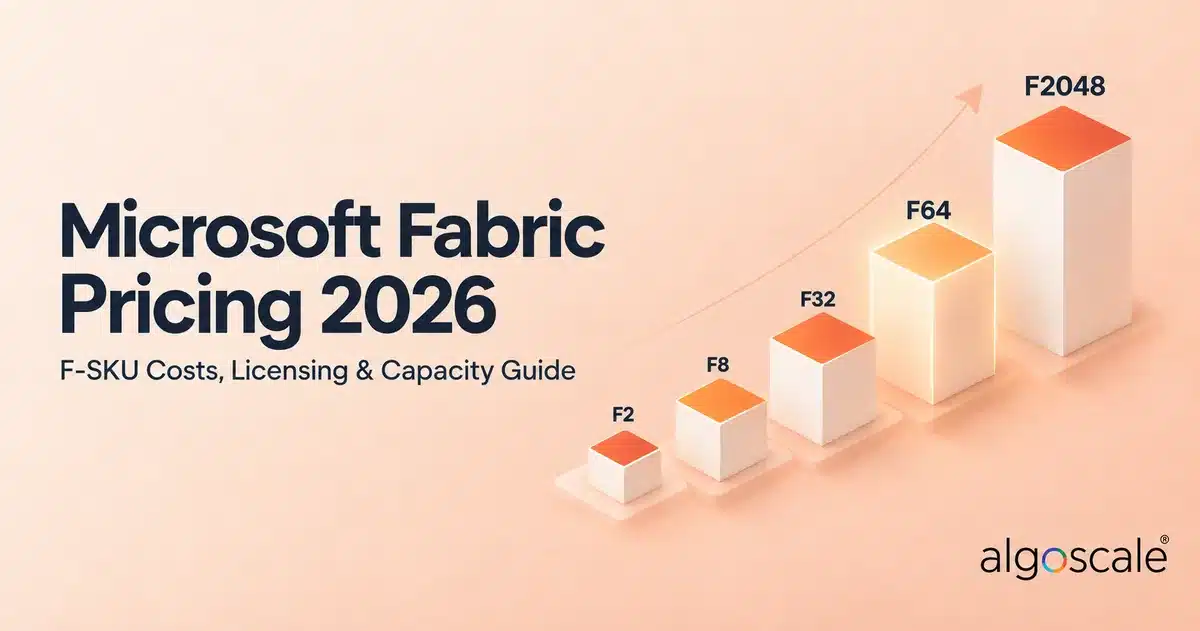

Key Insights for Data Strategy Leaders
- Unified Billing Rules Everything: The Microsoft Fabric cost is based purely on compute capacity (CUs) and storage, completely replacing separate billing for Data Factory and Synapse. You monitor one meter.
- The F64 Threshold is Crucial: The fabric f64 price is the most important tier because it acts as the exact replacement for Power BI Premium P1. It allows unlimited free viewers across your entire organisation, avoiding individual $14/month Pro licence fees.
- Massive Savings on Pausing: The Microsoft Fabric pay as you go model allows you to pause compute outside of business hours. Pausing a server over the weekend drastically reduces monthly Azure bills compared to always-on servers.
- Built-in Cost Control: Utilising fabric capacity smoothing prevents sudden billing spikes by spreading heavy background loads over a 24-hour window, though sustained overuse will trigger system throttling.
- Zero-Risk Trial Availability: You can explore the full platform without upfront financial risk using the 60-day fabric trial capacity, which perfectly mimics an enterprise F64 node.
For years, the loudest argument in enterprise data was a simple software debate: Power BI Desktop versus Power BI Service. The short answer was always that you needed the free Desktop app to build the complex data models, and the paid cloud Service to share those dashboards securely.
However, looking at the data overview in 2026, the conversation has fundamentally shifted. The software frontend is no longer the main financial concern. Industry focus has pivoted entirely to the massive backend engine powering those reports. The moment Microsoft announced its unified data platform, IT directors everywhere started asking a much bigger question: exactly how much does Microsoft Fabric cost?
We hear this every week. People love the idea of putting data engineering, Data Factory, and Power BI under one single roof. They just do not want a massive cloud bill at the end of the month.
The truth is, Microsoft Fabric pricing looks incredibly simple on a PowerPoint slide, but it can get deeply complicated once you map it to a live production environment. It replaces the old model of buying separate, disjointed services. Instead, you buy a single pool of compute power. If you size it correctly, your total Microsoft Fabric price drops drastically compared to running separate Azure Synapse and Data Factory workspaces. If you guess your capacity blindly, you might end up overpaying for servers sitting idle at midnight.
This 2026 guide breaks down the exact Microsoft Fabric cost structure. We cover everything from entry-level fabric f2 pricing to the highly debated Microsoft Fabric f64 pricing, storage fees, and how to avoid a massive billing shock.
The Core Concept: One Pool of Compute
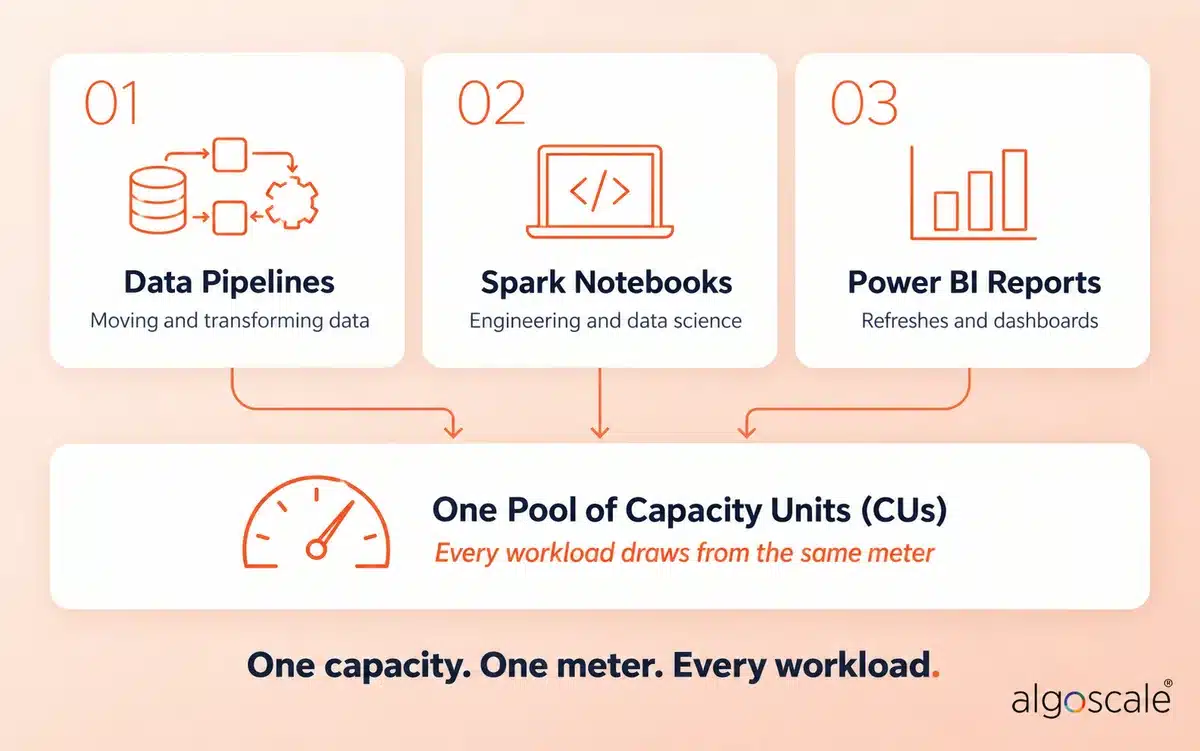
Think of it like renting a massive electric generator for an office building. It does not matter if you plug in ten laptops, an industrial fridge, or a massive air conditioning unit. The generator simply outputs a set amount of wattage. If you try to draw too much power at once, the lights dim.
Fabric works exactly the same way. The entire Microsoft Fabric licensing model revolves around a unified concept called Microsoft Fabric capacity. You rent a specific amount of processing power, measured in Microsoft Fabric capacity units (CUs). Every single workload—whether you are running a Python notebook in Spark, shifting data through pipelines, querying a SQL endpoint, or refreshing a Power BI dashboard in the Service—draws from this exact same pool of CUs.
Because of this shared architecture, there is no separate fabric data factory pricing or Synapse Analytics pricing. You just pay for the capacity size you choose. This represents a massive shift for financial operations teams. You no longer have to track dozens of micro-transactions across different Azure resources. You simply monitor one meter.
Pay As You Go vs Reserved Capacity Fabric
When you log into the Azure portal to provision your workspace, you are presented with two primary ways to pay for your compute power. According to our experiences with projects, this is the very first technical decision that dictates your long-term budget.
- Microsoft Fabric Pay As You Go: This is a flexible, per-second billing model (with a one-minute minimum), priced at an hourly rate. You pay the standard list price, but you get a massive architectural advantage. You can pause the capacity. If your data engineers only work Monday to Friday, and your executives do not check dashboards at 3:00 AM on a Sunday, you can pause the server via an API call and pay absolutely nothing for compute during that downtime (your OneLake storage still bills as normal). It is the smartest way to start when you are unsure of your exact workloads.
- Reserved Capacity: If you are running a global operation and you know you need your data warehouse running 24/7, paying hourly becomes a waste of money. In this scenario, you should commit to a one-year Azure reservation. When evaluating pay as you go vs reserved capacity fabric, locking in a one-year reservation knocks roughly 41% off the on-demand price. You lose the ability to pause the meter for savings, but your baseline running cost drops significantly.
Pay As You Go With Pausing vs Reserved: Where the Break-Even Sits
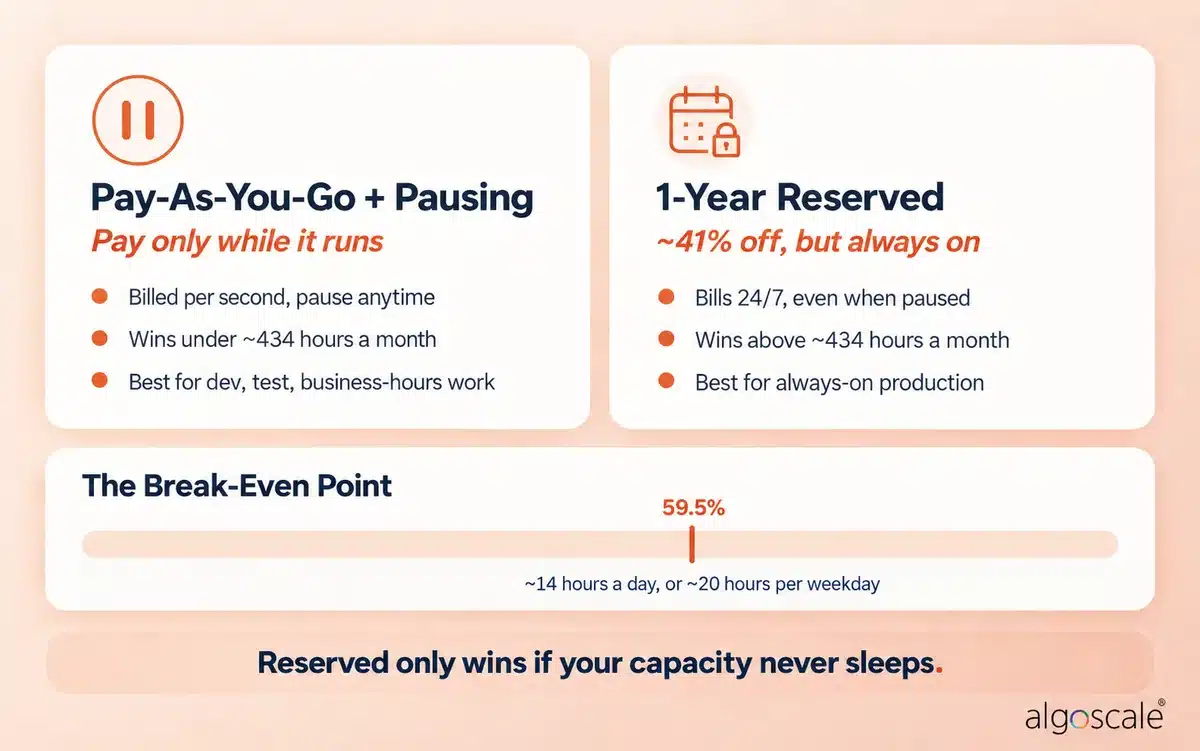
Most guides stop at “reserved is 41% cheaper”. That is only true if your capacity never sleeps. The moment you start pausing, the maths flips.
Here is the simple version. A reserved capacity costs roughly 59.5% of the always-on pay-as-you-go price. So if your capacity runs for less than about 434 hours a month, pay as you go with pausing is cheaper than a reservation. That works out to roughly 14 hours a day every day, or about 20 hours on each weekday with weekends paused.
Here is what that looks like on an F32 (US list prices):
| Running schedule | Hours / month (approx.) | F32 Pay-As-You-Go | F32 Reserved | Cheaper option |
|---|---|---|---|---|
| 8 hours a day, weekdays only | ~174 | ~$1,000/month | ~$2,501/month | Pay as you go |
| 12 hours a day, every day | ~365 | ~$2,102/month | ~$2,501/month | Pay as you go |
| 16 hours a day, every day | ~487 | ~$2,803/month | ~$2,501/month | Reserved |
| 24/7 | 730 | ~$4,205/month | ~$2,501/month | Reserved |
Remember, a reservation bills whether the capacity is running or not, so pausing a reserved capacity saves you nothing. The pattern we see work best is a reserved capacity for 24/7 production workloads, plus a small pay-as-you-go capacity for development and testing that gets paused every evening and weekend.
Microsoft Fabric Capacity Pricing: 2026 F-SKU Cost Breakdown
To make sense of the different Microsoft Fabric skus, you have to understand the F-series scale. The numbering is not random. Every fabric sku doubles the available compute power of the one before it. If an F4 gives you a certain amount of horsepower, the F8 gives you exactly twice that amount.
Here is what the Microsoft Fabric capacity pricing actually looks like in 2026. Keep in mind, these are standard estimates based on US Azure regions running continuously for 730 hours a month (West US 2 pricing). We have seen this trip up international clients. Always check the live Microsoft Fabric pricing page on Azure for your exact local currency and region.
| SKU | Capacity Units (CUs) | Pay-As-You-Go (per hour) | Pay-As-You-Go (per month) | 1-Year Reserved (per month) | Notes |
|---|---|---|---|---|---|
| F2 | 2 | $0.36 | ~$262.80 | ~$156.33 | The absolute baseline. Perfect for sandbox environments, small proof-of-concepts, and basic testing. |
| F4 | 4 | $0.72 | ~$525.60 | ~$312.67 | |
| F8 | 8 | $1.44 | ~$1,051.20 | ~$625.33 | Suitable for light departmental analytics and small batch jobs. |
| F16 | 16 | $2.88 | ~$2,102.40 | ~$1,250.66 | |
| F32 | 32 | $5.76 | ~$4,204.80 | ~$2,501.33 | Solid mid-market workloads running multiple pipelines and moderate Power BI traffic. |
| F64 | 64 | $11.52 | ~$8,409.60 | ~$5,002.66 | The highly coveted enterprise threshold. |
| F128 | 128 | $23.04 | ~$16,819.20 | ~$10,005.31 | |
| F256 | 256 | $46.08 | ~$33,638.40 | ~$20,010.62 | |
| F512 | 512 | $92.16 | ~$67,276.80 | ~$40,021.25 | |
| F1024 | 1,024 | $184.32 | ~$134,553.60 | ~$80,042.50 | |
| F2048 | 2,048 | $368.64 | ~$269,107.20 | ~$160,084.99 |
Every SKU is priced at the same base rate of $0.18 per CU per hour on pay-as-you-go. Reserved prices assume a 1-year commitment at roughly 41% off.
You might be wondering why everyone in the data engineering community obsesses over the fabric f64 price. The F64 tier is the magic line where Microsoft fundamentally alters the rules for Power BI viewers.
Microsoft Fabric Pricing Calculator
Want to see what your own setup would cost? Plug in your users, storage, and running hours, and get a monthly estimate across pay as you go, reserved, and Power BI licences.
Microsoft Fabric Licensing and Power BI: F64 Changes Everything
This is exactly where enterprise procurement teams get tangled up in the fine print. People frequently ask, is Microsoft Fabric part of 365? No, it is not. It is an entirely separate Azure service. However, it integrates so deeply with Power BI that the licensing models bleed into each other.
The most common question we field is: do I need power BI pro with fabric? The answer depends entirely on your chosen capacity size.
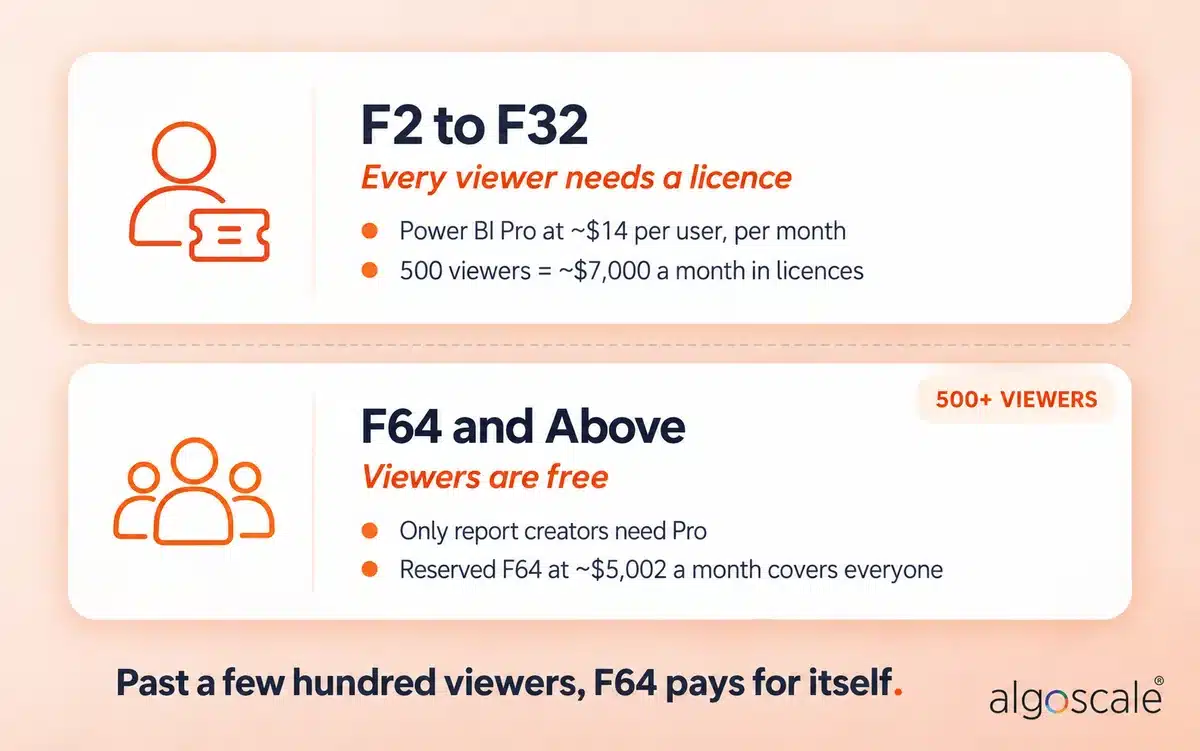
If you decide to run an F2, F8, or F32 capacity, every single person in your company who wants to view a shared Power BI report still needs a paid Power BI Pro licence (currently ~$14 per user, per month).
However, if you pay the Microsoft Fabric f64 pricing, Microsoft waives those viewer fees. On an F64 or higher, you are granted “free” viewer consumption. You only need to buy paid Pro licences for the handful of developers who actually author and publish the reports. The rest of the company, even if it is 10,000 employees, can view them for free.
This specific licensing quirk is why a power BI premium to fabric migration makes total financial sense for large organisations. Microsoft has mapped the legacy P-SKUs directly to F-SKUs (P1 = F64, P2 = F128, P3 = F256). An F64 is the direct architectural equivalent of the old Power BI Premium P1 node. You maintain the exact same free viewer rights you had under Premium, but now you also get Data Factory, real-time analytics, and Synapse engineering tools bundled into the exact same price point. If you are planning that move, our Microsoft Fabric consulting team handles Premium-to-Fabric migrations end to end.
Therefore, when calculating your overall Microsoft Fabric pricing power BI overlap, you have to do the basic mathematics. If you have 500 report viewers, paying $5,002 a month for a reserved F64 capacity is mathematically cheaper than buying them all $14 individual Pro licences (which would cost $7,000 a month). You get vastly more compute power for less total money.
Still unsure which licence each of your users actually needs? Our guide to Power BI license types breaks it down, and our Power BI consulting team can audit your current licence spend.
Storage and Add-Ons: OneLake and Copilot Fees
Do not forget that your capacity fee only covers processing power. You still have to pay for the physical hard drive space where your data lives.
All data inside this ecosystem sits in OneLake, the foundational data lake. The Microsoft Fabric storage cost is billed separately on your Azure invoice, but it is incredibly cheap. Standard onelake pricing currently sits at roughly $0.023 per GB per month. If you store a full terabyte of raw Parquet files and Delta tables, you are only looking at about $23 a month on top of your massive compute bill. Business Continuity and Disaster Recovery (BCDR) storage replication will slightly increase this, but it is almost a rounding error for most enterprises.
Then there is the artificial intelligence aspect. If you want to use the new generative AI assistants to write DAX measures, query SQL databases, or build reports from scratch, you need to understand fabric copilot pricing. Copilot does not have a separate $30 monthly user subscription like Microsoft 365 Copilot does. Instead, it requires dedicated fabric copilot capacity.
Microsoft originally required at least an F64 capacity to even turn the Copilot feature on, but it removed that requirement in April 2025. Today, any paid capacity from F2 upward can run Copilot. When an analyst types a prompt into Copilot, the AI engine simply burns a small amount of your existing Capacity Units to generate the code. You pay for AI using your general compute pool.
Behind the Scenes: Smoothing, Throttling, and Capacity Sizing
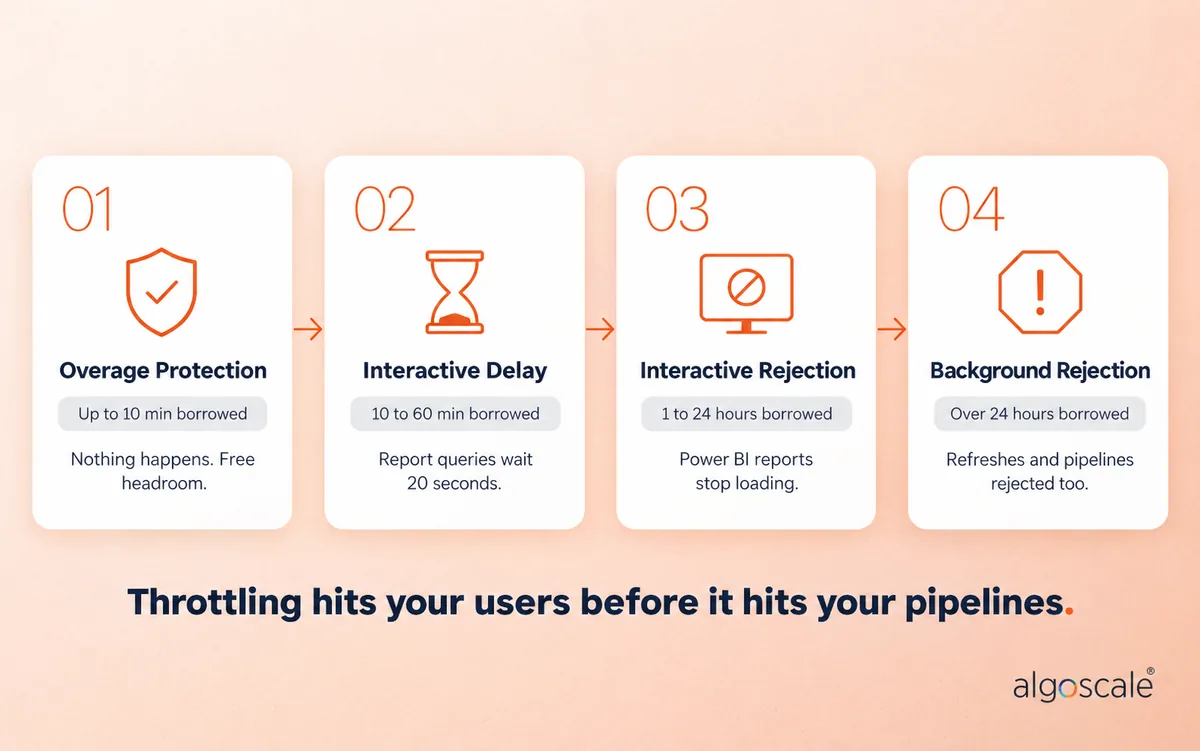
One of the most impressive technical feats of this platform is how it handles sudden usage spikes. Fabric does not just crash if you run a heavy Python notebook that is slightly too big for your F8 capacity. Instead, Microsoft uses a clever backend algorithm called fabric capacity smoothing.
If you spike your compute usage for five minutes by triggering a massive data pipeline, Fabric smooths that usage out over a 24-hour mathematical window. It essentially borrows future idle compute power to keep your current job running flawlessly. (That 24-hour window applies to background jobs like pipelines and refreshes. Interactive operations, like someone clicking through a report, are smoothed over a much shorter window.)
However, there is a catch. If you consistently borrow too much power and never give the system a chance to idle, you will hit fabric throttling.
When throttling kicks in, the system defends itself. Your interactive queries get delayed first, then your Power BI reports will simply refuse to load, and eventually, if the deficit gets bad enough, even your background refresh jobs and pipelines get rejected until your usage average drops back down. Microsoft documents the exact stages in its Fabric throttling policy.
This is exactly why fabric capacity planning is critical. You cannot fly blind in the cloud. Microsoft provides a free, pre-built telemetry dashboard called the fabric capacity metrics app. According to our experiences with projects, this app is your absolute best friend. It shows you exactly which pipeline, which user, or which poorly written DAX query is burning through your CUs. It allows your engineers to optimise the code rather than forcing you to blindly pay for a bigger server. This is the same tuning work our data engineering services team does before anyone signs off on a bigger SKU.
Real-World Case Study: Consolidating Logistics Data Operations
Theoretical pricing models rarely survive first contact with a live production environment. Vague numbers are useless when planning an enterprise migration. We have seen this repeatedly when clients try to estimate their cloud spend.
We recently partnered with a massive logistics and transportation firm. They were trying to run a scattered, disjointed analytics stack. They were paying separately for Azure Data Factory pipelines, a Synapse Dedicated SQL Pool running constantly, and hundreds of Power BI Pro licences. Their data pipelines were incredibly fragile, their Transport Management System (TMS) feeds were delayed, and data latency was a constant complaint from the executive team.
Our engineering team at Algoscale stood up a governed, role-aware carrier and 3PL data warehouse directly on Microsoft Fabric. We consolidated their TMS, Warehouse Management System (WMS), ELD, and fuel-card feeds, unifying them under one Fabric F32 capacity. It is the same approach our data warehouse consulting team brings to every warehouse build.
Because they still needed Pro licences for viewers below the F64 tier, we kept the Power BI licensing intact, but we completely eliminated the standalone Synapse and Data Factory bills.
By aggressively pausing the F32 capacity overnight and on weekends (running it only 12 hours a day using an automated script hitting the Azure REST API on the Microsoft Fabric pay as you go model), we dropped their Microsoft Fabric pricing azure compute cost drastically. We simplified their architecture, removed the data silos, and gave their operations managers live visibility into their freight margins without spiralling costs.
Try Before You Buy: The Microsoft Fabric Free Trial
With all these costs flying around, you might be wondering, is Microsoft Fabric free or paid? It is firmly a paid enterprise product. However, Microsoft knows that asking companies to blindly commit to a new architecture is a tough sell. So they offer a robust 60-day Microsoft Fabric free trial.
When a tenant administrator activates the trial, the organisation is temporarily granted a fabric trial capacity. This trial capacity is not some cut-down, restricted sandbox. It operates exactly like an enterprise F64 node. It gives you 64 CUs to play with, meaning you can build massive Lakehouses, run Spark notebooks, and share Power BI reports across the company for free for two full months to see if the platform actually fits your workflow. The one exception is Copilot, which is not supported on trial capacities, so you will need a paid F2 or higher to test it.
Just remember: once the 60 days expire, you have to transition that trial capacity to a paid SKU, or your workspaces and pipelines will pause.
Conclusion
Getting your head around the Microsoft Fabric license structure just requires a fundamental shift in procurement mindset. You are no longer renting specific software tools. You are renting a specific size of compute engine.
If you size it correctly, monitor the metrics app aggressively, and pause the engine when nobody is using it, Fabric is one of the most cost-effective data platforms on the market today. If you need help sizing your environment or auditing your current Azure spend, contact the data engineering team at Algoscale to map out a clear, predictable migration path.
Frequently Asked Questions
Is Microsoft Fabric free?
No. Fabric is a premium enterprise data platform. However, you can sign up for a 60-day free trial that provides a temporary 64-CU capacity to test all the features, including Power BI sharing, before committing to a paid tier.
How much does Microsoft Fabric cost per month?
It scales aggressively based on your specific operational needs. The smallest entry point (F2) costs roughly $262.80 per month on pay-as-you-go. Mid-sized workloads (F32) run about $4,204.80 per month, and enterprise tiers (F64) sit near $8,409.60 per month without annual reservations.
Do I need a Power BI Pro license with Microsoft Fabric?
Yes, unless you purchase an F64 capacity or higher. If you run an F2, F4, F8, F16, or F32, every user viewing a shared report still requires a paid Pro licence.
What is the difference between Pay-As-You-Go and Reserved Capacity?
Pay-as-you-go bills you by the second, and you can physically pause the server to stop billing completely over weekends. Reserved capacity requires a 1-year upfront commitment but gives you a permanent ~41% discount on the compute price.
Am I billed the full price even if nothing runs?
Yes. Once a capacity is switched on, the meter runs whether you are running pipelines or not. You are paying for reserved horsepower, not for usage. If nobody needs it, pause it.
Does Fabric pricing include storage?
No. The capacity fee only covers compute power. Storage is billed separately via OneLake pricing, which is exceptionally cheap at approximately $0.023 per GB per month.
How do I know what size fabric SKU I need?
Do not guess. Start with a small pay-as-you-go SKU like an F8. Run your pipelines, then check the Fabric Capacity Metrics App. If the app shows you are constantly hitting throttling limits, smoothly scale up to the next tier without migrating any data.
What are the cost limitations of Microsoft Fabric?
There are four big ones. Every workload shares one pool, so a heavy notebook can slow down your reports. Viewers still need Pro licences below F64. Reserved capacity cannot be paused for savings. And prices vary by Azure region, so the US list price is only a starting point.










