


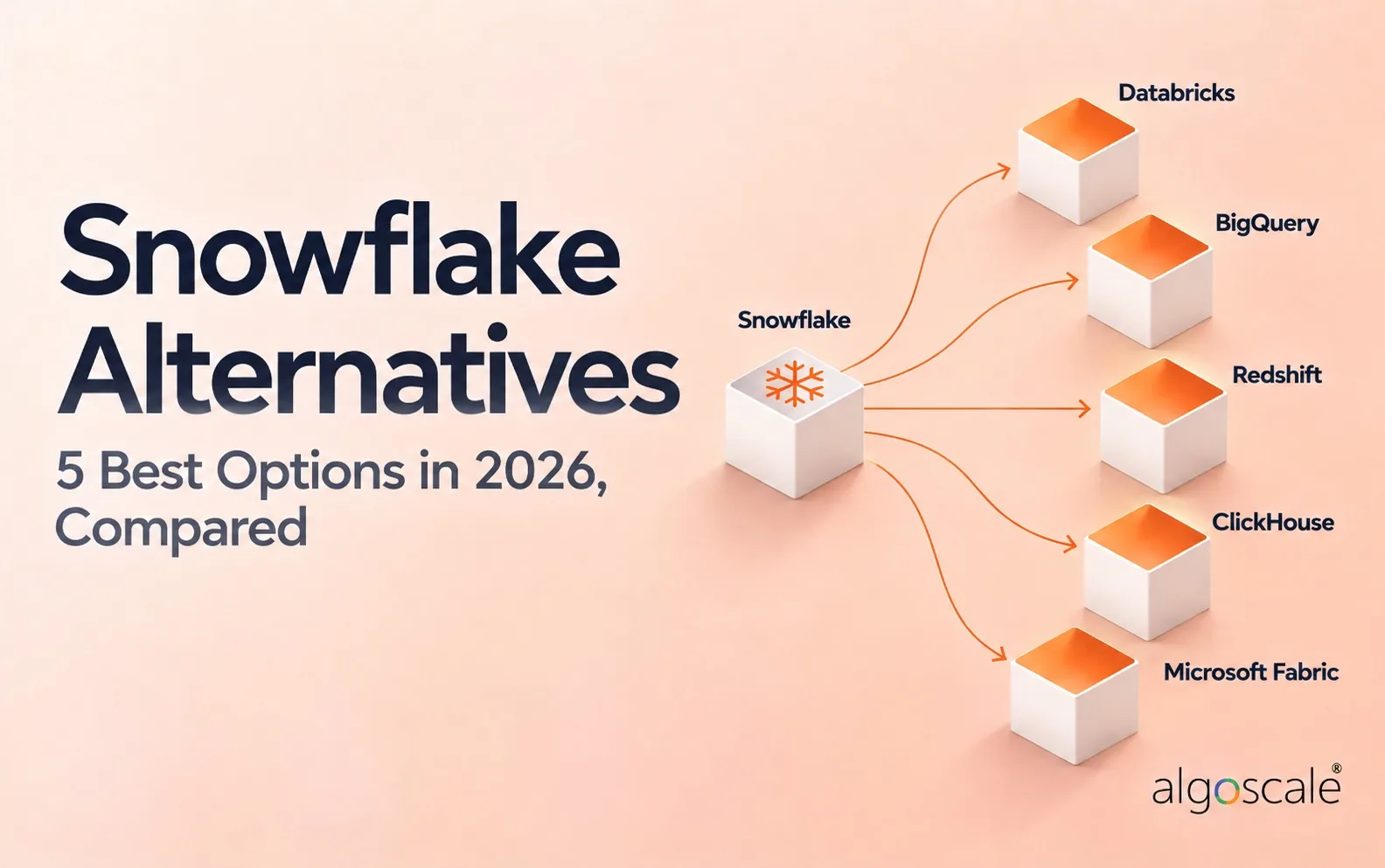

Every page ranking for snowflake alternatives right now has something to sell. Five of the ten are published by a vendor in this market, and most of them rank themselves somewhere near the top. That is not a conspiracy, it is just how content marketing works, but it does mean nobody on that page is going to tell you when staying put is the right call.
We sell none of these five. What follows is what each one costs according to its own pricing page this week, what its users complain about, and the number every vendor page leaves out: what the migration itself will cost you.
5 Best Snowflake Alternatives: Quick Comparison
| Tool | Best For | Public Reviews | The Catch | Starting Price | Access |
|---|---|---|---|---|---|
| 1Databricks | ML and SQL in one place | Reddit + HN: the other serious platform, heavier to operate | The DBU rate excludes your cloud bill | From $0.15/DBU | Published rates, free trial |
| 2Google BigQuery | Spiky, unpredictable query loads | HN + Reddit: nothing to administer, easy to overspend | One careless query can cost real money | $6.25 per TiB scanned | 1 TiB free each month |
| Algoscale | Running the migration itself | No public reviews: case studies only | Not a product, a scoped engagement | Not public | Consulting |
| 3Amazon Redshift | A bill you can forecast | HN + Reddit: its own users are the harshest about it | Serverless starts at nearly 3x the provisioned rate | From $0.543/hour | Inside your AWS account |
| 4ClickHouse | Sub-second queries on events | HN: fast on its workload, sharding is yours to own | Not a general-purpose warehouse | $25.30/TB + $0.2181/unit-hr | $300 credits, or self-host |
| 5Microsoft Fabric | Microsoft shops with Power BI | HN: reads as a rebrand to some, SQL gaps remain | Capacity is a ceiling you size up front | F2 from $262.80/month | Buy a capacity, no call |
Scroll the table sideways for public reviews, price and access.
Not sure which of these fits your stack?
Tell us what you are running today and what you need it to do. We will tell you which of these we would pick, and why. We are not going to pitch you.
How We Compared These Snowflake Alternatives
We did not benchmark these warehouses. Benchmarks in this category are almost always published by whoever wins them, and ours would be no different.
Instead: every price here was read off the vendor’s own pricing page on 27 October 2026, with the unit it is charged in, because a rate without a unit is worthless. We read ten practitioner comments across r/dataengineering and Hacker News and quote eight of them below, each with its link. Where a commenter has a stake, we say so under the quote.
What we weighed, heaviest first
- What it costs in its own units – per TiB, per DBU, per RPU-hour and per capacity month are not comparable, and pretending otherwise is how people get surprised
- What the migration costs – the largest number in the project, and the one nobody on this search results page publishes
- Whether it is actually a warehouse – two of these five are something else wearing a warehouse label
What Leaving Snowflake Actually Costs
The licence saving is the easy part to model and the smallest part of the bill. The real cost is the work: re-pointing every pipeline, rewriting the SQL that used Snowflake-specific syntax, rebuilding roles and grants in a different permission model, and running both warehouses in parallel until you trust the new numbers.
That parallel period is the bit teams forget. You pay for both platforms until the reports reconcile, and the reconciliation always surfaces a dashboard that was quietly wrong for a year. Budget months, not weeks, and budget the double licence.
| What moves | Usually easy | Usually painful |
|---|---|---|
| Tables and data | Bulk export and load, mostly mechanical | Anything relying on Snowflake time travel or zero-copy clones |
| SQL | Standard ANSI queries port with light edits | Snowflake-specific functions, semi-structured VARIANT handling |
| Permissions | A fresh role model is quick to design | Reproducing years of accumulated grants exactly |
| Pipelines | Changing a connection string | Anything using Snowpark, Streams or Tasks |
1. Databricks: Best When the Workload Was Never Just SQL
What it does: A lakehouse platform: Spark compute, notebooks, Delta and Iceberg tables, with SQL warehouses for the BI layer.
Who this is for: Teams doing as much Python and ML as SQL, with engineers who can run Spark.
Every source on page one names Databricks, and the Reddit thread below treats it as the only other serious platform. Rates are published by workload: $0.15 per DBU for data engineering, $0.22 for warehousing, $0.40 for interactive. What they leave out is the cloud bill underneath, billed separately by AWS, Azure or Google.

Key Features
- Spark, notebooks, jobs and SQL warehouses in one workspace
- Delta Lake and Iceberg, so storage stays in open formats
- Unity Catalog for governance across workspaces
Pros and Cons
Pros
- Published rates for every workload type
- Open table formats, so the data is not trapped
- One platform for ML and BI instead of two stacks
Cons
- Cloud infrastructure is billed separately, on top of the DBU rate
- A different working model from a SQL warehouse
- Operating it is a real engineering commitment
What Users Say
I don’t think there’s any competition other than Snowflake and Databricks for the data platform market. They’re too big. Their products are too good.
onestupidquestion on Reddit

Unless your core competency is running reports and spark nodes, it’s probably cheaper to outsource the management of Spark and friends than to hire people to make sure it’s always up and running.
ramesh31 on Hacker News
Pricing
From $0.15 per DBU for data engineering, $0.22 for data warehousing and $0.40 for interactive workloads. Operational Database is $0.069 per CU. Cloud infrastructure is billed separately by your cloud provider.
Bottom Line
The right move if your workload outgrew SQL years ago and you have engineers who can run Spark. It is not a cheaper label on the same warehouse.
The alternative everyone names, and a change of working model rather than a change of vendor.
2. Google BigQuery: Best for Spiky, Unpredictable Query Loads
What it does: A serverless warehouse billed by the bytes your queries scan, or per slot-hour if you commit to capacity.
Who this is for: Teams on Google Cloud, and anyone whose query volume is spiky enough that an idle warehouse hurts.
There is no cluster to size, pause or forget to pause. You pay $6.25 per TiB scanned, the first TiB each month is free, and a quiet month costs almost nothing. The same mechanism is the risk: scan-based pricing punishes SELECT * immediately, and the damage is done before anyone reviews the query.

Key Features
- Serverless, with nothing to administer
- $6.25 per TiB scanned, first TiB each month free
- Capacity pricing per slot-hour once usage is predictable
Pros and Cons
Pros
- Removes a whole administration job from a small team
- A quiet month genuinely costs almost nothing
- Free tier makes evaluation free
Cons
- Scan-based billing punishes careless SQL, loudly
- Hard to cap: one bad query can be expensive
- Pulls you further into Google Cloud
What Users Say
I’ve used both BigQuery (currently on it) and Snowflake, and I think you might be giving BigQuery too little credit here. Its recent enterprise editions are close enough to Snowflake that I generally prefer BQ now considering its integration with products like Google Sheets, among others.
sunder_and_flame on Reddit

About a year ago I spent $80 making a single query using BigQuery. There was a large public dataset and I did a query that spanned several months of data … the problem was that WHERE still scans data from ALL
reilly3000 on Hacker News
Pricing
On-demand compute is $6.25 per TiB scanned, with the first 1 TiB each month free and the first 10 GiB of storage free. The alternative is capacity pricing, charged per slot-hour for reserved compute.
Bottom Line
Small teams get the most from this one: it deletes the job of sizing and babysitting a cluster. The price is a bill shaped by how carefully your team writes SQL.
Nothing to run, and a bill that follows your SQL habits rather than your uptime.
Algoscale: The Team That Runs the Migration
What it does: A data engineering team rather than a platform. We move you onto whichever warehouse you pick, without stopping reporting while it happens.
Who this is for: Teams who have chosen a destination and now have to move production onto it.
Choosing is a week. Migrating is a quarter, and the quarter is where projects go wrong: Snowflake-specific SQL, accumulated grants, undocumented pipelines, reports that must keep working throughout. On an AWS modernisation we unified fourteen ERPs, a CRM, an HRMS and a planning tool into one governed lake powering 20+ dashboards.

Key Features
- A migration plan that names what does not move
- Modelling for the destination rather than a lift and shift
- Parallel running until the numbers reconcile
Pros and Cons
Pros
- We resell none of the five platforms above
- Published case studies with figures you can read
- Prices the part every vendor page omits
Cons
- Not a product: no trial, no download
- An engagement costs more than a licence
- Unnecessary if your team has migrated a warehouse before
What Users Say
data refreshes automatically twice daily with full pipeline observability
From the AWS data warehouse modernization case study on algoscale.com
Pricing
Scoped per engagement. There is no list price, and a range invented for a blog post would be a guess.
Bottom Line
Worth a call if the destination is chosen and production still has to move. If you have done this before, you do not need us.
For teams who have picked the destination and still have to get there.
3. Amazon Redshift: Best for a Bill You Can Forecast
What it does: AWS’s warehouse, sold as provisioned clusters or as serverless workgroups billed per RPU-hour.
Who this is for: AWS-native teams with steady workloads who would rather commit to capacity than meter every query.
Provisioned Redshift starts at $0.543 an hour, the lowest entry price of the managed warehouses here, and reserved capacity makes it a fixed line item. Nothing leaves your AWS account. Serverless begins at $1.50 an hour, nearly three times that, and its users dispute how serverless it really is.

Key Features
- Provisioned clusters or serverless workgroups
- Reserved capacity for steady workloads
- Managed storage at $0.024 per GB-month
Pros and Cons
Pros
- The lowest entry price of the managed warehouses in this comparison
- Reserved capacity makes the warehouse a fixed cost
- Nothing leaves your AWS account or VPC
Cons
- Serverless costs nearly 3x the provisioned entry rate
- Practitioners dispute how serverless the serverless option is
- Little reason to choose it outside AWS
What Users Say
Redshift Serverless is not serverless. A workgroup is a normal, ordinary Redshift cluster. All workgroups are initially created as a 16 node cluster with 8 slices per node
Max-Ganz-II on Hacker News
Snowflake is plug and play with great performance but can get quite expensive. Big query and databricks are both solid. Redshift is garbage.
Single-Animator1531 on Reddit

Pricing
Redshift Provisioned starts at $0.543 an hour and Redshift Serverless at $1.50 an hour, billed per RPU-hour by the second with a 60-second minimum. Managed storage is $0.024 per GB-month, billed separately.
Bottom Line
The predictable option for an AWS company with a steady workload. Read what its own users say before you commit to serverless.
A bill you can forecast, from the platform whose users are hardest on it.
4. ClickHouse: Best for Sub-Second Queries on Event Data
What it does: An open-source columnar database built for fast analytical queries over very large tables, with a managed cloud on top.
Who this is for: Teams whose complaint is latency on event or time-series data rather than a general-purpose warehouse bill.
Apache-2.0, 50,633 GitHub stars, self-hostable for the cost of the hardware. Cloud compute is metered from $0.2181 a unit-hour and scales to zero when idle, storage $25.30 per TB a month. For most teams it answers a narrower question than Snowflake does, because joins and updates are where it struggles.

Key Features
- Apache-2.0 and self-hostable, 50.6k GitHub stars
- Compute metered per unit-hour, scaled to zero when idle
- Storage and compute billed separately
Pros and Cons
Pros
- The only entry you can run yourself for hardware cost
- Every cloud rate is published to four decimals
- Genuinely fast on the workload it targets
Cons
- Not a general-purpose warehouse
- 8,471 open issues is a lot of surface area
- Self-hosting at scale means owning sharding and replication
What Users Say
In our experience, the primary driver of Snowflake costs is not the compute for aggregation, but the compute required for lots of reads/scans. We recently built a Snowflake-to-ClickHouse pipeline for a customer
miked98 on Hacker News
Pricing
ClickHouse Cloud storage is $25.30 per TB a month. Compute is $0.2181 per unit-hour on Basic, $0.2985 on Scale and $0.3903 on Enterprise. New accounts get $300 of credits for 30 days. The open-source build is free.
Bottom Line
Right if the complaint is latency. Teams who move here for the bill alone end up rebuilding joins they used to take for granted.
The fastest thing here on event data, and the least like a drop-in replacement.
5. Microsoft Fabric: Best If Power BI Is Already the Reporting Layer
What it does: Microsoft’s bundle of warehouse, lakehouse, pipelines and Power BI, sold as monthly capacity rather than per query.
Who this is for: Organisations standardised on Microsoft, where Power BI is the reporting layer and the warehouse should sit beside it.
You buy a capacity, not a query: F2 is $262.80 a month pay-as-you-go or $156.334 reserved, F64 $8,409.60 against $5,002.667. Finance gets one number. Capacity is also a ceiling, so sizing it is the whole game, and the engine is younger than its rivals in ways that still surface.

Key Features
- One capacity covering warehouse, lakehouse, pipelines and Power BI
- Fixed monthly SKUs from F2 upward
- About 41% off for a reserved commitment
Pros and Cons
Pros
- A monthly number finance can approve
- Power BI is included rather than billed separately
- Reserved pricing is published, not negotiated
Cons
- Capacity is a ceiling: exceed it and things throttle
- Some practitioners read it as a rebrand of existing Azure services
- A developer reported in September 2025 that the warehouse engine lacks DECLARE CURSOR, which broke his driver
What Users Say
Fabric feels like a rebrand of existing Azure services, plus a few new beta services that Microsoft is aggressively selling to their customers
Centigonal on Hacker NewsThe commenter discloses that they work for a company that sometimes works with Fabric competitors, and that they have not been hands-on with Fabric.
it seems this doesn’t support Microsoft Fabric with the datawarehouse engine… it fails because Fabric doesn’t support the DECLARE CURSOR operation, which this driver relies on
zurfer on Hacker NewsReported in September 2025. Microsoft may have closed the gap since; we could not verify either way.
Pricing
F2 capacity is $262.80 a month pay-as-you-go or $156.334 reserved, around 41% less. F64 is $8,409.60 pay-as-you-go or $5,002.667 reserved. Mirroring storage is included up to a limit set by the capacity you buy.
Bottom Line
The path of least resistance for a Microsoft shop with Power BI in the middle of its reporting. Everything then rests on sizing the capacity.
One capacity, one monthly figure, and a ceiling you have to size right.
Which Snowflake Alternative Should You Choose?
Choose Databricks if:
- Your team does as much Python and ML as SQL
- You want storage in open formats you can read elsewhere
Choose Google BigQuery if:
- Query volume is spiky and an idle warehouse annoys you
- You are already on Google Cloud
Choose Amazon Redshift if:
- You are AWS-native and the workload is steady
- A committed, predictable bill matters more than elasticity
Choose ClickHouse if:
- The complaint is latency on event data, not cost
- You are willing to own sharding, or pay the cloud to
Choose Microsoft Fabric if:
- Power BI is already the reporting layer
- A fixed monthly capacity suits finance better than a meter
Skip this category entirely if:
- Your Snowflake bill is large because of how your queries are written. That follows you to the next platform.
- Nobody can name which workloads drive the spend. Find that out first; it is cheaper than a migration and sometimes it is the whole answer.
What’s the Best Snowflake Alternative in 2026?
For most teams moving for cost, BigQuery or Redshift, depending on which cloud you already pay. BigQuery if the load is spiky, Redshift if it is steady and you can commit. Databricks if the workload was never really a warehouse workload to begin with.
ClickHouse and Fabric answer narrower questions well: sub-second analytics on events, and Microsoft shops who want one monthly number. Neither is a drop-in swap, and both will change how your team works.
The honest answer for a lot of teams is to stay and fix the queries. Snowflake is expensive in the same way a taxi is expensive: mostly it depends how far you ask it to go.
The Number Nobody on This Page Publishes
Every comparison here, including this one, is written by somebody with a view. The difference is that we do not sell any of the five, and the thing we do sell is the part all of them leave out: the migration.
Algoscale’s data engineering team plans what moves, what gets rebuilt and what quietly gets retired, then runs it. On an AWS warehouse modernisation that meant fourteen subsidiary ERPs, a CRM, an HRMS and a planning tool unified into one governed lake powering 20+ live Power BI dashboards, with reporting preparation time down more than 70%.
- A migration plan that names what does not move
- Modelling for the destination, not a lift and shift
- Parallel running and reconciliation until the numbers agree
- Handover, so your team owns it afterwards
Ready to put this into production?
Algoscale’s data engineers have built and migrated data platforms for retail, fintech and manufacturing teams. Book a free consultation and we will scope yours with you.
Frequently Asked Questions
What is the cheapest alternative to Snowflake?
On entry price, Amazon Redshift provisioned at $0.543 an hour, or BigQuery if your volumes are low enough to live inside the free TiB each month. Self-hosted ClickHouse is cheaper still if you can run it, because you only pay for hardware. Cheapest at entry and cheapest at your volumes are different questions, and only your query patterns answer the second.
Is Databricks cheaper than Snowflake?
It depends on the workload, and the published rates do not settle it. Databricks starts at $0.15 per DBU for data engineering and $0.22 for warehousing, but a DBU rate excludes the cloud infrastructure underneath, billed separately by AWS, Azure or Google. Heavy Spark and ML work usually does better on Databricks. BI queries over modelled tables often do not.
Are there open-source alternatives to Snowflake?
ClickHouse is the serious one: Apache-2.0, 50,633 GitHub stars, and you can self-host it for the cost of the hardware. It is built for fast analytical queries over large event tables rather than as a general-purpose warehouse, so it suits some workloads and fights others. DuckDB is worth knowing for anything that fits on one machine.
How hard is it to migrate off Snowflake?
The data moves easily. The difficulty is everything attached to it: Snowflake-specific SQL, VARIANT handling, years of accumulated grants, and anything built on Snowpark, Streams or Tasks. Expect to run both platforms in parallel while you reconcile reports, and expect that to find at least one dashboard that has been quietly wrong.
Who is Snowflake’s biggest competitor?
Databricks, by some distance, and the Snowflake vs Databricks comparison is the one most teams actually run. Every source on page one for this term names it, and a practitioner in r/dataengineering put it plainly: there is no competition other than Snowflake and Databricks for the data platform market. On raw adoption the hyperscaler warehouses matter too, which is why BigQuery and Redshift lead the data warehouse alternatives most teams end up shortlisting.







