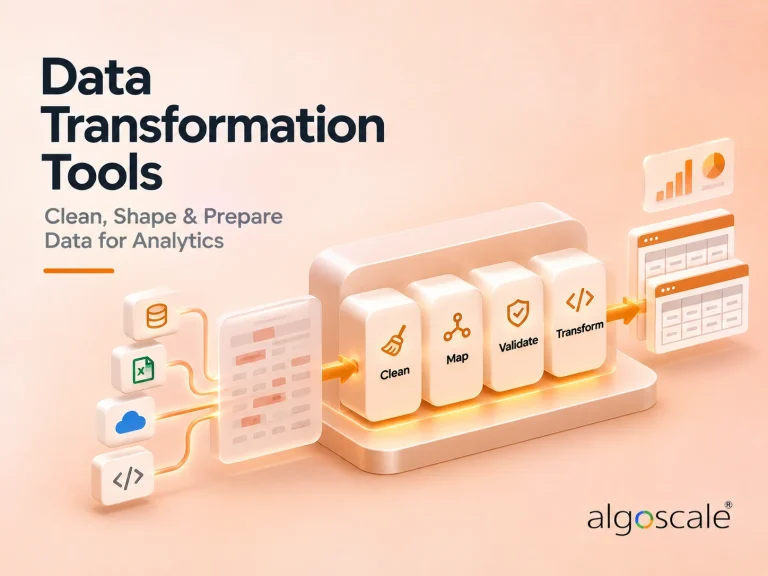


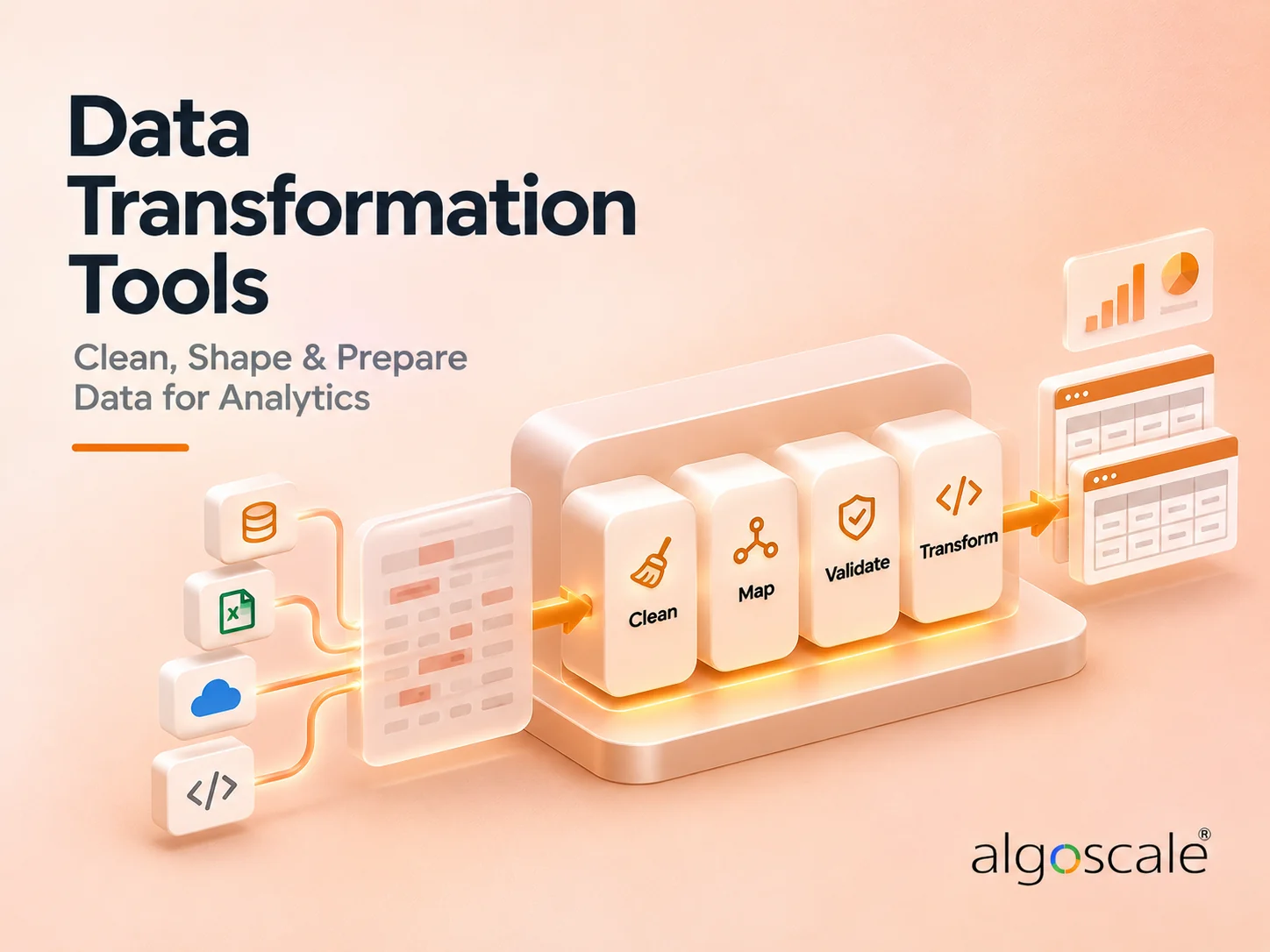

Data transformation tools take data that has already landed in your warehouse and turn it into tables people can query: filtered, joined, aggregated and tested. Five of the six products below do that by sending SQL to the platform where the data already sits. The sixth, Alteryx, is a prep tool for analysts, and the seventh entry is our own data engineering team.
Who writes the logic splits them first: SQL developers in Git, builders on a visual canvas, or analysts who never touch SQL. Price splits them next. dbt and Coalesce publish free plans and per-user Starter prices, Alteryx prints $250 per user a month for an edition that reads files only, and Dataform costs nothing beyond the BigQuery compute it uses. Matillion and Qlik publish no figure.
This page covers the transformation step, the T in ELT. If you need connectors that extract and load data, or a scheduler for your jobs, the explainer below points you to the comparisons that cover those. Prices, plans and limits were read on vendor pages on 14 November 2026.
7 Best Data Transformation Tools: Quick Comparison
| Tool | Best For | Public Reviews | The Catch | Starting Price | Where the Transformation Runs | Access |
|---|---|---|---|---|---|---|
| 1dbt | SQL teams working in Git | PeerSpot: stability and lineage praised; outages and multi-tenant gaps named | SSO and RBAC need unpriced Enterprise | Free Developer; Starter $100/user/month | As SQL in your data platform | Free plan; 14-day trial |
| 2Matillion | One tool to load and transform | PeerSpot: connectors and simplicity praised; scalability limits reported | No published price for a credit | Not public (credits) | Pushed down to Snowflake, BigQuery, Redshift or Databricks | “Try free”; price from sales |
| 3Algoscale | Replacing legacy SSIS/SQL stacks | No G2 or PeerSpot listing: our own published case study only | You still license a tool separately | Scoped per project | Databricks and Delta Lake, in the cited engagement | Talk to us |
| 4Coalesce | Visual layer over existing ingestion | PeerSpot: lineage and drag-and-drop praised; docs and edge cases criticised | Starter stops at four users; SSO costs more | Free; Starter $150/user/month billed annually | As SQL in Snowflake, Databricks, BigQuery or Fabric | Free plan |
| 5Qlik Talend Cloud | Streaming ingest plus in-warehouse SQL transforms, sold by quote | PeerSpot: steadier pipelines praised; cost called very high | No transformation on entry editions; no prices | Not public (Contact Us) | As SQL in the target, upper editions | “Try for Free”; price by quote |
| 6Alteryx | Analysts who skip SQL | PeerSpot: integrations praised; price and big-data slowdowns criticised | $250 Starter edition reads files only | $250/user/month billed annually | Push-down to Databricks, Snowflake or Google offered; edition not stated | 30-day trial |
| 7Dataform | BigQuery-only teams | No PeerSpot reviews: one Hacker News comment and one GitHub bug report | BigQuery only, with a thin review record | Free; BigQuery compute billed | In BigQuery only | Free in a Google Cloud project |
Not sure which of these fits your stack?
Tell us what you are running today and what you need it to do. We will tell you which of these we would pick, and why. We are not going to pitch you.
How We Researched These Data Transformation Tools
We started from the desktop and mobile search results for this term and tried 17 sources, Google’s AI Overview included. Three could not be read: a Medium post, a Reddit thread and a Kenexai guide. Eleven of the fourteen we read list products, and seven of those eleven were written by vendors that rank themselves.
Nothing was trialled and no account was created. Every free option on this list needs an account, from dbt’s Developer plan to Alteryx’s 30-day trial and a Google Cloud project for Dataform. Plans, prices, limits and platform lists come from each vendor’s own pricing pages and documentation. We read 32 vendor, documentation, review and Algoscale pages in all, on 14 November 2026.
We read 45 reviews and comments in full. On PeerSpot that was nine for Matillion, eight for Qlik Talend Cloud, six for dbt and five each for Coalesce and Alteryx. Dataform has no PeerSpot reviews, so we read eleven Hacker News comments that mention it and one GitHub issue, a bug report. G2, Reddit and Capterra turned automated reading away, and we did not work around them.
We cut Informatica, whose transformation is one module of a wider suite, and Integrate.io, two of whose three citations are its own pages. The order runs from the widest fit to the narrowest.
Neeraj Agarwal researched and wrote this comparison. His bio: “16+ years in data engineering and analytics. Has led enterprise data warehouse and lakehouse builds for retail, fintech, and manufacturing clients including Walmart and Capital One.”
Five things decided the order, heaviest first:
- Where the transformation runs – a tool that sends SQL to your warehouse adds no second copy of the data to secure and pay for; most products here document that as their default, and Alteryx offers push-down without saying which edition includes it
- Whether you can see the price – four of the six vendors print a price or say the product is free, while Matillion and Qlik print none, so a sales call comes before a budget
- Who can build in it – SQL in Git, a visual canvas or code-free prep decides which people on the team do the work, and a tool built for the wrong people goes unused
- Where the entry plan stops – seat limits, model and action allowances and file-only sources are where a cheap start turns into a contract
- Governance, and on which tier – SSO sits on custom-priced tiers at dbt and Coalesce and custom SSO on Matillion’s Scale plan, so a security review often sets the real price
Where Transformation Happens: In the Warehouse or on an Analyst’s Desk
A data pipeline does three jobs: it extracts data from source systems, loads it somewhere, and transforms it into tables people can use. The tools on this list do the third job. Search results for this term mix all three, partly because ingestion vendors describe the whole pipeline as transformation.
Most of the products here do the work inside the warehouse. You write or draw the logic, and the tool turns it into SQL that Snowflake, BigQuery, Databricks or another platform runs. Alteryx starts from the analyst’s side, with people preparing and blending data themselves, and offers push-down into cloud platforms on some editions. Our ETL vs ELT guide covers the difference between the two architectures.
| What you need | What to look for | Where to look |
|---|---|---|
| Transformations written as SQL, versioned and tested in Git | A SQL transformation framework | dbt, or Dataform if your warehouse is BigQuery; leaving dbt, see dbt alternatives |
| A visual canvas that compiles to SQL, on top of the loader you already run | A visual transformation layer | Coalesce |
| Loading and transformation in one visual product | A load-and-transform platform | Matillion |
| Streaming ingest or SAP and mainframe sources, with transformation in the warehouse | An enterprise integration platform | Qlik Talend Cloud |
| Analysts preparing and blending data without SQL | A data preparation tool | Alteryx |
| Connectors that extract data and load it into the warehouse | An ingestion tool | Fivetran alternatives and data pipeline tools |
| Jobs that run in the right order, with retries and backfills | An orchestrator | Data orchestration tools |
| A legacy SSIS and SQL stack rebuilt on a modern platform | An engineering team | Algoscale, entry 3 |
1. dbt: Best for SQL Teams That Want Every Transformation Tested and Reviewed in Git
What it does: A SQL transformation framework. You write models as SELECT statements, and dbt runs them as SQL inside your data platform, with tests, lineage and version control. It does not extract or load data.
Who this is for: Data and analytics engineering teams of one to five SQL developers on Snowflake, BigQuery, Databricks or Redshift.
It fits more teams than anything else here. Nine of the 17 search sources we checked name it, more than any other tool, and it starts free. Each model is a SELECT statement that dbt runs as SQL inside Snowflake, BigQuery, Databricks, Redshift or another supported platform, so the work happens where the data already sits.
Its engine is open source under Apache 2.0, which makes dbt the first answer to most searches for open source data transformation tools. It also tests the models it builds, a job our data quality tools comparison covers. Teams already on dbt and looking to leave should read dbt alternatives instead.

Key Features
- Adapters for Snowflake, BigQuery, Databricks, Redshift and ClickHouse, with Spark and DuckDB on the CLI (supported platforms)
- Semantic Layer and lineage from the Starter plan
Pros and Cons
Pros
- Free to start: a Developer plan and an Apache 2.0 engine, with no contract to sign
- Runs as SQL in your platform, so data stays in the warehouse it was loaded into
- The longest adapter list on this page, from Snowflake and BigQuery to ClickHouse and DuckDB
- SOC 2 Type II and three ISO certifications listed on its security page
Cons
- SSO, RBAC and SCIM are Enterprise-only, and Enterprise has no published price
- Starter includes 15,000 successful models a month and bills beyond that at a rate the pricing page does not give
- Code only, with no visual builder for people who do not write SQL
What Users Say
dbt does not have a native concept of multi-tenant or multi-standard project organization.
Harshwardhan Gullapalli, AI Engineer at an educational organization with 51-200 employees, on PeerSpot, 16 April 2026The same review says “dbt has been very stable.”

Dbt is not as stable as preferred, as it has had a few outages in the current year itself
reviewer2780388, Senior Data Engineer at a pharma/biotech company with 10,001+ employees, on PeerSpot, 10 December 2025The same review praises dbt’s built-in lineage feature.

Pricing
Developer: free, with one developer seat, 3,000 successful models built a month and one project. Starter: $100 per user a month, with five developer seats, 15,000 successful models and 5,000 queried metrics a month. Enterprise and Enterprise+ are custom-priced. All from the dbt pricing page, read 14 November 2026.
A 14-day trial unlocks every feature, and afterwards the Developer plan carries on for a single developer without API access.
Bottom Line
The safe first pick for a team that writes SQL, whichever of the major warehouses it runs.
Start on the free plan, and price Enterprise the day your security team asks for SSO.
2. Matillion: Best for Teams That Want Loading and Transformation in One Visual Tool
What it does: Matillion’s low-code pipeline platform loads data into the warehouse and transforms it there: visual pipelines, with SQL or Python when needed, pushed down to Snowflake, BigQuery, Redshift and Databricks. The Data Productivity Cloud has been renamed Maia Foundation, part of Matillion’s Maia platform; the vendor is still Matillion.
Who this is for: Data teams of one to five developers on Snowflake, BigQuery, Redshift or Databricks who want ingestion and transformation from one vendor.
Matillion removes a tool from the stack. Its connectors extract data and load it into Snowflake, BigQuery, Databricks or Redshift, and its pipelines then push the transformation down to that same warehouse. A team that would otherwise buy one product for ingestion and another for transformation can buy one.
Matillion sells credits, and its pricing page does not say what a credit costs. Our data pipeline tools roundup judges Matillion as a whole pipeline product; this entry looks only at its transformation layer.


Key Features
- Visual pipeline builder, with SQL and Python when you need them
- Transformations pushed down to Snowflake, BigQuery, Redshift and Databricks (transformation page)
- Hybrid deployment on your own agent infrastructure on the Scale plan
Pros and Cons
Pros
- One product for loading and transformation, so there is one tool to buy and learn
- Transformations run inside your own warehouse
- Admin users are unlimited on every plan; only developers are counted
- A reviewer credits the predefined connectors with removing the need to write connection code (Jitendra Jena, 20 August 2025)
Cons
- No public price: the unit is a credit, and the price of a credit is not published
- The transformation page names four target warehouses and no others
What Users Say
One of the features that’s in development is data privacy in the cloud, along with further SAP integration.
Jacques Du Preez, Chief Executive Officer at Intellinexus, on PeerSpot, 6 April 2024Reviewed as a public cloud deployment on AWS. The same review says “The new version with the Productivity Cloud is very simple.”

Scalability in Matillion Data Productivity Cloud has some limitations.
Jitendra Jena, Director at Axtria – Ingenious Insights, on PeerSpot, 20 August 2025Reviewed as a public cloud deployment on AWS.

Pricing
Not public. The pricing page lists Developer, Teams and Scale plans on a “consumption-based credit system”, and says “A Credit is the smallest unit of charge, consumed when a customer uses a Matillion resource” (read 14 November 2026). No price per credit is printed.
Developer includes one developer user and built-in SSO. Teams and Scale include five, and Scale adds custom SSO and hybrid deployment. Every plan has a “Try free” button, with no trial length stated.
Bottom Line
Worth shortlisting when buying ingestion and transformation from one vendor matters more to you than seeing a price up front.
Ask sales for the credit price and a usage estimate before you design around it.
3. Algoscale: Best for Replacing a Legacy SSIS and SQL Transformation Stack
What it does: A data engineering consultancy. Its service page says: “Data engineering services design, build and run the pipelines, storage and orchestration that move data from your source systems into analytics and AI, reliably and at scale.” (read 14 November 2026)
Who this is for: Organisations running a legacy SSIS and SQL transformation stack who need the ETL pipeline rebuilt. The cited client is a U.S. insurance provider serving millions of policyholders.
Algoscale is a data engineering team that builds with the tools on this list. It is ranked here because the question after “which tool?” is usually “who will build it?”, and it is judged on one published case study, with its catches listed like everyone else’s.
For a prominent U.S.-based insurance provider serving millions of policyholders, the transformation work ran on a legacy SSIS and SQL stack. We moved the ETL pipeline to Databricks and Delta Lake, and the case study records the result quoted below.

Key Features
- Ingestion from source systems, ETL and ELT pipelines, warehouse and lakehouse storage, orchestration, data quality checks and monitoring
- Transformation logic kept separate; the service page says “We keep transformation logic decoupled, preventing isolated software bugs from cascading through downstream reporting tables” (read 14 November 2026)
Pros and Cons
Pros
- A recorded result on the transformation pipeline itself, from the insurance engagement
- Covers the work a licence leaves undone, from ingestion through orchestration to data quality checks
Cons
- Not software: you still license one of the tools above, or use none
- No public price; every engagement is scoped
- The cited proof is one engagement, for a client the case study does not name
- No G2 or PeerSpot reviews; the evidence is our own case study
- Our own site lists dbt Labs among our technology partners, and dbt ranks first on this list
From Our Case Study
87.5% Faster ETL pipeline — reduced from 4 hours to 30 minutes
Algoscale case study, U.S.-based insurance provider (page read 14 November 2026)From our own published case study, not a third-party review. The figure is what the case study reports for the ETL pipeline after the move to Databricks and Delta Lake. It is not a result of any software product on this list.
Pricing
Scoped per project. The service page publishes no price, and its “Estimate your engagement” tool returns a timeline rather than a cost (read 14 November 2026). Tool licences are paid to the vendor separately.
Bottom Line
Pick the product from the entries around this one, then bring us in to design, build and run what sits behind it.
Worth a call when your transformations still run on SSIS and SQL and a new licence alone will not speed them up.
4. Coalesce: Best for a Visual Transformation Layer on Top of the Loader You Already Run
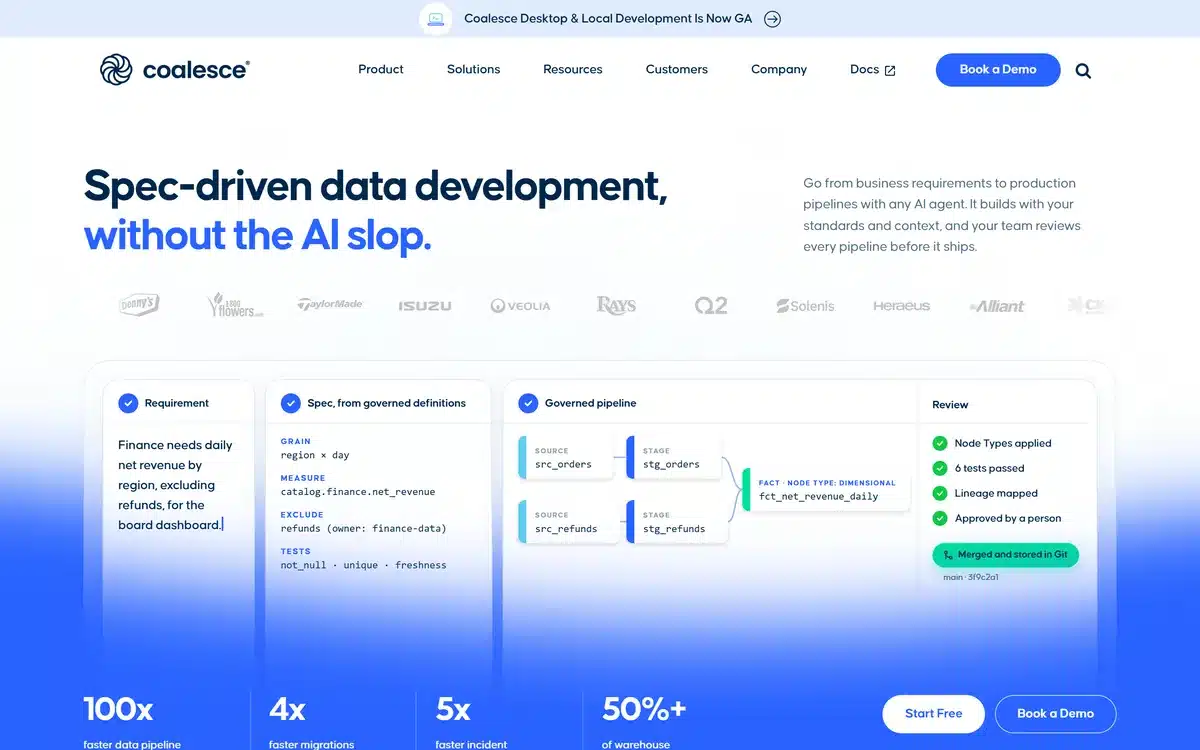
What it does: A data transformation platform: a visual node graph, or SQL node types, that sends SQL to your data platform to run there. It has no SaaS connector catalogue of its own on the pages we read, and its docs pair it with ingestion tools such as Fivetran. Marketplace packages add nodes that load files from cloud storage inside Snowflake.
Who this is for: Data teams of up to four builders on Snowflake, Databricks, BigQuery or Fabric that already have an ingestion tool.
Coalesce is the one product here built only for visual transformation. You place Stage, Dimension, Fact and View nodes on a canvas and Coalesce writes the SQL. Its security docs say the connection is used “to send the SQL commands to be executed by Snowflake” and that results “are never stored by Coalesce” (read 14 November 2026).
The data platforms page spells out the division of labour: “Coalesce transforms data that Fivetran loads into Snowflake, BigQuery, and other supported platforms” (read 14 November 2026).

Key Features
- Visual node graph with Stage, Dimension, Fact, View and custom node types
- Git-backed projects, one repository per project (onboarding guide)
- Works on Snowflake, Databricks, BigQuery and Fabric, per the pricing page
Pros and Cons
Pros
- Built to sit on top of whatever already loads your warehouse
- Runs in your warehouse, and Coalesce says it never stores your data at rest
- A free Developer plan and a printed Starter price
- A SOC 2 Type 2 report, stated on its security page
Cons
- SSO only on custom-priced Enterprise and Business Critical
- Starter stops at four Transform users, and a fifth means a custom Enterprise contract
- A small review base: nine reviews averaging 3.7 out of 5 on PeerSpot
What Users Say
Coalesce.io is compatible with Snowflake only, so it must be configured with other platforms such as Databricks and BigQuery, which is a limitation and a drawback.
reviewer2871438, Senior Data Engineer at a tech vendor with 10,001+ employees, on PeerSpot, 14 July 2026Coalesce’s pricing page now lists Databricks, Fabric and BigQuery alongside Snowflake. The same review praises its column-level lineage.

Coalesce.io can be improved by making it handle more edge cases and providing better documentation.
Sheetal Gowda, Associate Manager, Data Engineering at Tredence Inc., on PeerSpot, 7 July 2026Tredence is a data services firm, so this is a partner-side view. The same review praises the drag-and-drop interface for removing the need to write SQL queries.

Pricing
Developer: free, for one user with 2,000 monthly actions, one project and one environment. Starter: $150 per user per month, billed annually, for up to four Transform users and 15,000 actions a month. Enterprise and Business Critical are custom-priced. From the pricing page, read 14 November 2026.
Going past the action allowance does not stop anything. The same page says “Go over, and your pipelines keep running at a simple per-action rate without tier jumps or penalty pricing”, though the per-action rate is not printed.
Bottom Line
A strong fit when ingestion is already solved and the team wants to build models visually while keeping the project in Git.
Check the four-user Starter limit against your hiring plan before you commit.
5. Qlik Talend Cloud: Best for Enterprises Adding Streaming Ingest to Warehouse Transformation
What it does: Qlik’s data integration platform, formerly Talend: ingestion, streaming ingest and, on the upper editions, transformation flows that Qlik turns into SQL and pushes down to run in the target platform.
Who this is for: Enterprise data teams that need streaming ingest (or SAP and mainframe sources) alongside warehouse transformation. The two entry editions list no transformation, and SAP and mainframe sources need Enterprise.
Seven of the 17 search sources we checked cite Talend, yet Qlik Talend Cloud ranks fifth here. Two things hold it back for a buyer who wants a transformation layer: no edition has a public price, and transformation is missing from the two entry editions.
Where it does transform, the work runs in your warehouse. Qlik’s transformation page says its flows “Generate SQL statements, orchestrate flow, and push code to target platform for runtime execution” (read 14 November 2026). For moving SAP or mainframe data, our data integration tools comparison is the better guide.

Key Features
- Ingestion and streaming ingest from one platform
- Visual transformation flows of sources, processors and targets, compiled to SQL (evaluation guide)
- Transformation targets: Snowflake, Databricks, Google BigQuery, Azure Synapse Analytics and Microsoft Fabric
- Column-level lineage and data warehouse and lakehouse automation on the editions with transformation
Pros and Cons
Pros
- Streaming ingest, and SAP and mainframe sources on Enterprise, from the same vendor that runs the warehouse transformation
- Transformation flows push SQL down to run in the warehouse
- A reviewer credits its automation with saving time, reducing errors and making pipelines more stable (Henrique Fsantos, 17 December 2025)
Cons
- No public price on any edition, and usage is metered three ways
- Product naming is split across Talend, Qlik Talend and Qlik Cloud Data Integration pages
What Users Say
Better cost and resource visibility would also help teams optimize their workloads.
Henrique Fsantos, Data & Analytics Engineer at PicPay, on PeerSpot, 17 December 2025Reviewed as a public cloud deployment. The reviewer says he has used the product for 10 years.

The cost is also very high compared to previously.
Sindhu Sreenivasan, Project Engineer at CitiusTech, on PeerSpot, 8 January 2026Reviewed as a private cloud deployment on AWS.

Pricing
Not public. Starter, Standard, Premium and Enterprise each carry a “Contact Us” button on Qlik’s pricing page (read 14 November 2026). Usage is a subscribed capacity, measured by data volume moved, number of job executions and execution duration.
Transformation appears from Premium, along with data warehouse and lakehouse automation, column-level lineage and Spark batch processing. SAP applications and mainframe sources need Enterprise. The page offers a “Try for Free” button and states no trial length.
Bottom Line
Fits an enterprise that wants ingestion and warehouse transformation on a single contract.
Get a quote for the edition with transformation, built on your expected data volumes and job counts, before you compare it with anything else.
6. Alteryx: Best for Analysts Who Prepare and Blend Data Without SQL
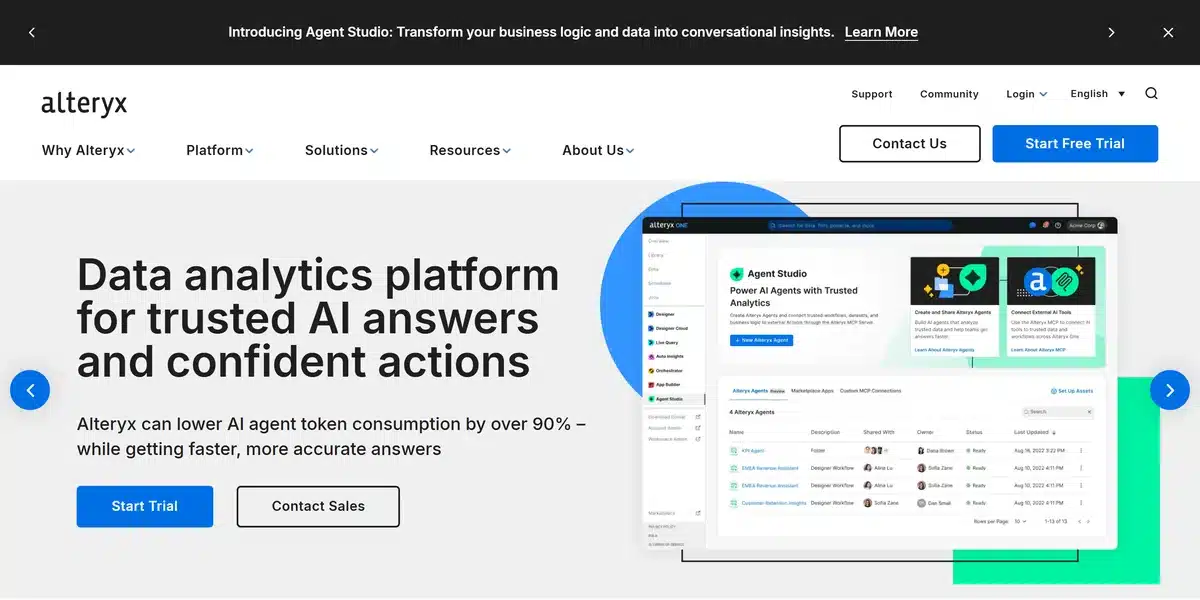
What it does: Alteryx One: code-free, drag-and-drop data preparation, blending and analytics for analysts, sold by edition, user role and automation runs.
Who this is for: Analyst teams in business functions who prepare their own data without a warehouse engineering team, from one to ten people on Starter up to 10+ users on Enterprise.
Alteryx serves a different buyer from everything above it. Its users are analysts in business teams who build workflows by drag and drop, without SQL, which is why it also turns up in searches for data preparation tools and data wrangling tools.
Starter, at $250 per user a month billed annually, reads files only (.csv, .xlsx and JSON), so Snowflake and Databricks wait for Professional, which has no public price.


Key Features
- Code-free, drag-and-drop preparation and blending
- Cloud and desktop on Professional, with macros and geospatial
- 100+ data sources, Snowflake and Databricks among them, from Professional
- Scheduling, monitoring and governance on Enterprise
Pros and Cons
Pros
- The only product here built for analysts who do not write SQL
- A printed entry price and a 30-day free trial
- The largest review base on this list: 119 reviews averaging 4.1 out of 5 on PeerSpot
- Failed, validation and design-time runs do not count toward automation capacity
Cons
- Starter connects to files only and includes no automation runs
- Professional and Enterprise, where warehouse sources start, are Contact Sales
- The pricing page does not say which edition includes Live Query, the push-down module
What Users Say
The price is quite high, which is why there is a limitation on licenses, and not everyone has the right to use it…
AditiSharma, Senior Analyst at Guardian India Operation, on PeerSpot, 29 May 2026The ellipsis marks a cut. The sentence goes on to ask for a lower price so that more people could use it.

when we use filter tools immediately after the input source, there can be slowdowns when handling massive data.
ManojBehera, Senior Staff Cyber Security Cloud Data Architect at GE Healthcare, on PeerSpot, 27 May 2026The same review says Alteryx integrates very well with ServiceNow, SAP and Salesforce.

Pricing
Starter: $250 per user a month, billed annually, for one to ten Basic users, cloud only, with file sources (.csv, .xlsx, JSON) and no automation runs. Professional and Enterprise: Contact Sales. From the pricing page, read 14 November 2026.
Professional adds desktop, macros, geospatial, “100+ data sources (e.g. Snowflake, Databricks, etc.)” and 50 automation runs. Enterprise is for 10+ users, with all data sources, enterprise governance, free viewer licenses and 15k automation runs.
Bottom Line
The pick when analysts in a business team own data preparation and nobody on hand writes SQL.
Price Professional before you plan on warehouse sources, because Starter will not connect to them.
7. Dataform: Best for BigQuery-Only Teams That Want SQL in Git Without a Licence
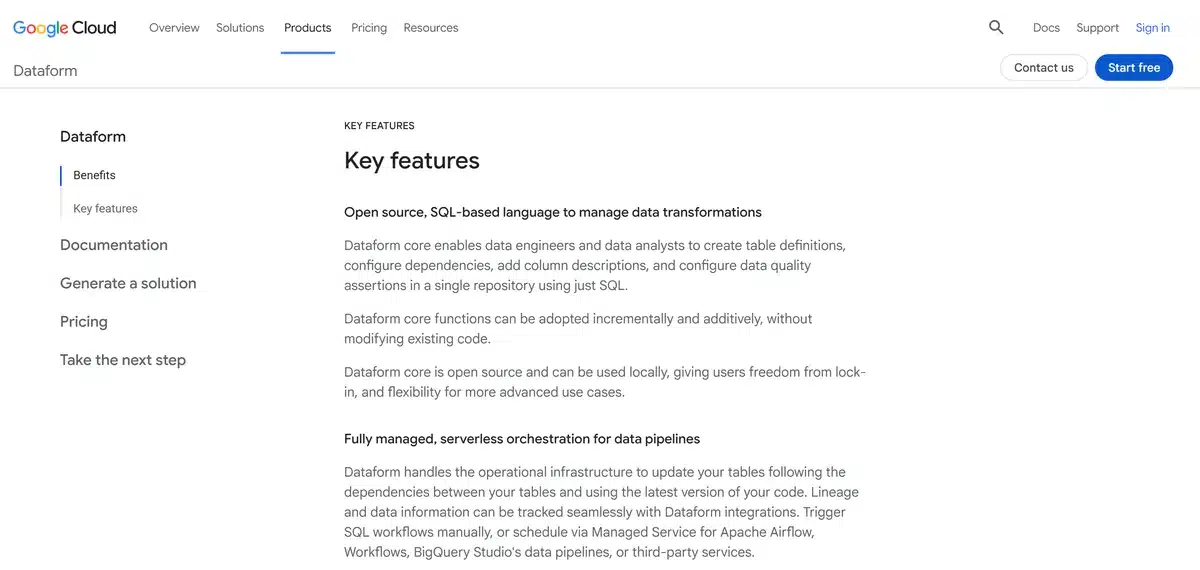
What it does: Google Cloud’s service for developing, testing, versioning and scheduling SQL transformation workflows in BigQuery, written in SQLX files that Dataform turns into BigQuery tables and views.
Who this is for: Analytics teams whose whole warehouse is BigQuery and who want SQL transformations in Git without adding a vendor. The only cost is the BigQuery compute and the Google services it uses.
Dataform runs in one place. Google’s overview describes BigQuery and nothing else: each SQLX file “contains a query that defines a database relation that Dataform creates and updates inside BigQuery” (read 14 November 2026). For a team whose warehouse is BigQuery, that narrowness costs nothing.
Testing is built in: the overview says Dataform “Runs assertion queries against your tables and views to check data correctness.” Our dbt alternatives post weighs it as a dbt replacement.

Key Features
- Git connections to GitHub, GitLab, Azure DevOps Services and Bitbucket
- Scheduling through workflow configurations, Managed Service for Apache Airflow, Workflows or Cloud Scheduler
Pros and Cons
Pros
- No licence: you pay for the BigQuery queries it runs and the logging it needs
- Version control, testing and scheduling inside the Google Cloud console
- Nothing to install or host for a team already on BigQuery
Cons
- BigQuery only
- No reviews on PeerSpot, and no rated public review that we could find
- Scheduling beyond workflow configurations means wiring up other billed Google services
What Users Say
Dataform for example is conceptually a great tool, but hampered by really basic UI bugs.
synthc on Hacker News, 22 September 2024Part of a wider comment about Google Cloud.

Actual Behavior: the table schema was not updated accordingly.
RashedMahjna, GitHub issue #1906 on dataform-co/dataform, 3 February 2025The issue, titled “Bug – OnSchemaChange doesnt work as expected in Bigquery Dataform”, was still open on 14 November 2026.

Pricing
Free. “Dataform is a free service,” says Google’s pricing page (read 14 November 2026). Queries are billed through BigQuery, Cloud Logging is required and billed, and Cloud Composer, Cloud Scheduler or Workflows are billed if you use them.
Bottom Line
On BigQuery with no budget for a licence, this is the obvious place to start.
Teams on any other warehouse should look higher up the list.
Which Data Transformation Tool Should You Choose?
Who on your team will build the transformations narrows this list faster than price does.
| Your situation | Start with | Why |
|---|---|---|
| SQL developers on Snowflake, BigQuery, Databricks or Redshift who review code in Git | dbt | Free to start, with an open-source engine that runs as SQL in the warehouse |
| No ingestion tool yet, and a preference for building pipelines visually | Matillion | Its connectors load the warehouse that its pipelines then transform |
| Transformations still running on a legacy SSIS and SQL stack | Algoscale | Someone has to rebuild the pipeline off the old stack |
| An ingestion tool already in place, and four or fewer people building models | Coalesce | A visual layer that sends SQL to the warehouse, at a printed Starter price |
| An enterprise that needs streaming ingest, or SAP and mainframe sources, alongside warehouse transformation | Qlik Talend Cloud | Streaming ingest plus SQL push-down on the upper editions |
| Analysts in a business team preparing data without SQL | Alteryx | Code-free prep, though warehouse sources start at Professional |
| A warehouse that is entirely BigQuery, and no licence budget | Dataform | Free apart from BigQuery compute and logging |
Skip this category entirely if:
- Your real problem is getting data out of source systems. That is ingestion, covered by Fivetran alternatives and our data pipeline tools roundup.
- Your jobs fail because they run in the wrong order. A scheduler fixes that, and our data orchestration tools comparison covers them.
What’s the Best Data Transformation Tool in 2026?
For most teams that write SQL, dbt. It has a free plan, an open-source engine and adapters for every major warehouse; access control is where it starts to cost.
For a visual tool, Matillion or Coalesce, depending on what loads your data. Matillion brings its own connectors. Coalesce assumes you already have one and publishes a Starter price, which Matillion does not.
For one enterprise contract, Qlik Talend Cloud; for analysts without SQL, Alteryx; for BigQuery alone, Dataform. Two of the three print no price for the edition most of their buyers will need.
When your transformations still run on legacy SSIS and SQL, Algoscale. A new licence does not move the pipeline off that stack, and rebuilding it is the work we do.
How Algoscale Takes a Transformation Layer From Purchase to Production
Buying a transformation tool settles how the logic gets written. It leaves the rest open: which source tables feed which models, how history is kept, which tests stop a bad load, how the jobs are scheduled, and how the old stack is retired without the reports on top changing their numbers.
That is the work our data engineering team does: ingestion from source systems, ETL and ELT pipelines, warehouse and lakehouse storage, orchestration, and the data quality checks and monitoring around them. Our case study covers the insurance engagement in full.
- Moves off legacy SSIS and SQL stacks onto Databricks and Delta Lake, as in the insurance engagement
- Transformation logic kept separate, so one bug does not spread into downstream reporting tables
Already bought the tool and stuck?
We run a short review of your current pipeline and tell you what is actually wrong with it.
Frequently Asked Questions
Is dbt an ETL tool?
No. dbt handles only the transformation step, the T in ELT. Its documentation says it works alongside your ingestion tools “so you can transform data directly in your cloud data platform” (read 14 November 2026). Another tool extracts and loads the data first, and dbt then runs SQL models against it inside the warehouse. Our ETL vs ELT guide explains the two architectures, and dbt alternatives compares the frameworks that do the same job.
What are the different types of transformation techniques?
The core techniques are filtering, joining, unioning and aggregating data. Qlik’s evaluation guide builds its visual transformation flows from exactly those processors: joins, unions, aggregation and filtering. Coalesce’s onboarding guide organises the output into Stage, Dimension, Fact and View nodes.
What are the top 5 ETL tools?
No single top five covers extraction, loading and transformation. For the transformation step, the data transformation software named most often across the search results we read was dbt, Matillion and Talend, now sold as Qlik Talend Cloud. For extracting and loading, Fivetran and Airbyte came up most. Our data pipeline tools roundup ranks the whole pipeline, ingestion and orchestration included.
What are different data modelling tools?
Data modelling tools design the schema and generate the DDL that creates the tables. Our data modeling tools comparison ranks SqlDBM, erwin Data Modeler, ER/Studio, Oracle SQL Developer Data Modeler, SAP PowerDesigner and dbdiagram.io. The tools on this page handle the next step, building the modelled tables with SQL inside the warehouse, which is what dbt and Dataform do.