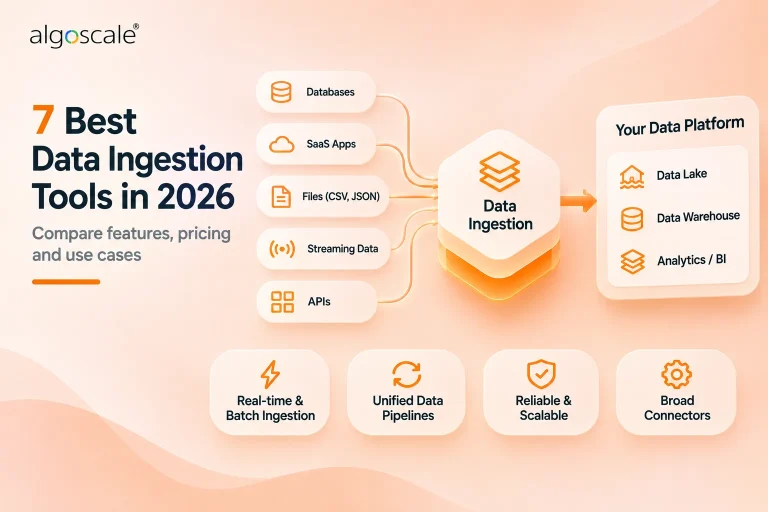


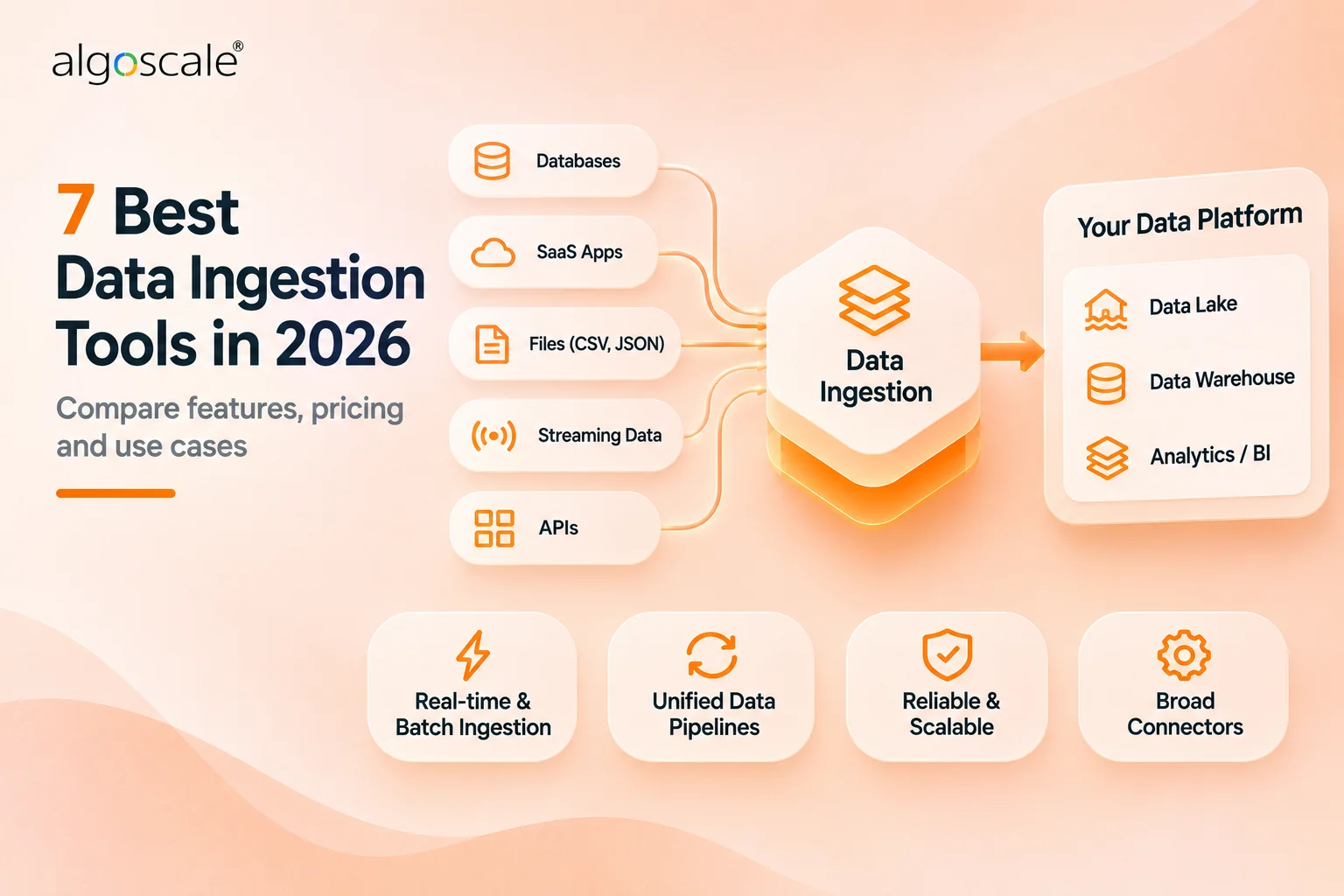

Data ingestion tools move raw data from where it is created into the lake or warehouse where it gets analysed. The seven on this page do that in three ways. Connector tools such as Fivetran and Airbyte copy tables from SaaS apps and databases. Streaming services such as Kafka, Kinesis and Dataflow carry events as they happen. NiFi moves files, logs and sensor readings from systems you run yourself.
The landing mode decides most of what a data ingestion platform costs you. Connector tools bill on rows or credits, the cloud streaming services on gigabytes and compute hours, and the open-source projects on your own servers and staff time. Algoscale sits at number three for the one case no product here covers well: internal systems whose exports break every load script written for them.
Every price and limit below was read on the vendor’s own pages on 14 November 2026.
7 Best Data Ingestion Tools: Quick Comparison
| Tool | Best For | Public Reviews | The Catch | Starting Price | How It Lands Data | Access |
|---|---|---|---|---|---|---|
| 1Fivetran | Teams buying maintained connectors | PeerSpot: connector setup praised; one engineer says prices keep rising | Row-based bills are hard to forecast | Free to 500,000 MAR; then usage-based | Managed connectors into 200+ destinations | Free plan; sign-up needed |
| 2Airbyte | Teams self-hosting their connectors | PeerSpot (Cloud): less custom maintenance; one reviewer finds the docs thin | Self-hosting means running Kubernetes yourself | Core free; Cloud from $20/mo | Connectors, self-hosted or in Airbyte Cloud | Self-host free; 14-day Cloud trial, no card |
| 3Algoscale | Owners of brittle in-house loads | No G2 or PeerSpot listing: our own case study only | A service; you still pay the cloud bill | Not public; scoped per project | Custom loads; S3 to PostgreSQL in the cited case | Talk to us |
| 4Apache Kafka | Platform teams with many producers | PeerSpot: adds nodes without downtime; ongoing management and tuning are hard | Needs Connect, and people to run it | Free (Apache 2.0); Confluent Basic from $0 | Event stream plus Kafka Connect sinks | Free download |
| 5Amazon Kinesis | AWS shops with no broker staff | PeerSpot: easy start, good docs; cost pushes one team to look elsewhere | AWS only; Firehose rounds records to 5 KB | Firehose $0.029/GB; Data Streams $0.08/GB (US East) | Stream plus Firehose delivery | AWS account; no free tier |
| 6Google Cloud Dataflow | BigQuery shops on Google Cloud | PeerSpot: monitoring and logging praised; failures at huge volumes | GCP only; Beam code past the templates | $0.056 per batch vCPU-hour (us-central1) | Batch or streaming templates into BigQuery | Google Cloud billing account |
| 7Apache NiFi | Self-hosters who need record lineage | PeerSpot: called the heart of ingestion; crashes reported in production | You run it, and the fit is narrow | Free (Apache 2.0) | Files, logs, MQTT and edge agents | Free download, no sign-up |
Not sure which of these fits your stack?
Tell us what you are running today and what you need it to do. We will tell you which of these we would pick, and why. We are not going to pitch you.
How We Researched These Data Ingestion Tools
We started from Google’s results for this search on 14 November 2026, the AI Overview and ten pages: one Reddit thread would not open, and three of the eight tool lists come from vendors that rank their own product first (Adverity, United Techno and Bruin).
Nothing was trialled and no account was created. Fivetran’s dashboard needs an account, and the AWS and Google Cloud consoles need billing details as well. Prices, limits and features come from vendor pricing pages and documentation: 30 pages in all, review listings and our case study included, read on 14 November 2026.
Reviews come from PeerSpot. We read ten review cards for each of the six products, 60 in all, and quote two per product with the reviewer’s name and date. Listing sizes vary a lot: 92 reviews for Apache Kafka, 29 each for Fivetran and Amazon Kinesis, 23 for Apache NiFi, 15 for Google Cloud Dataflow and 10 for Airbyte Cloud. We did not use G2 or Reddit reviews. Algoscale has no review listing, so its entry quotes our own case study.
Stitch, Hevo Data, Estuary and dlt are left out because another of our posts already compares them; the chooser points there. The order runs from the widest fit to the narrowest.
Six things decided the order, heaviest first:
- Whether you can see the price, and what it is counted in – rows, credits, gigabytes and vCPU-hours grow differently, and several paid tiers print no rate
- How it lands data – connectors, streams and file flows suit different sources
- How long until the first real load – a free plan, no-card trial or download lets a team test on its own data first
- What happens as volume grows – per-record rounding, worker sizes and per-connection charges are where an ingestion bill drifts from the estimate
- What you can show an auditor – compliance reports, provenance and the tier where SSO and RBAC start
- What running it takes – judged mostly from reviews, so it ranks last; the self-hosted options swap a licence fee for operating work
Data Ingestion vs Data Integration vs ETL: Which One Are You Buying?
Data ingestion is the first hop: getting raw data out of a source and into storage you control, usually a lake or warehouse, either in batches or as a stream. Data integration connects applications to each other, so an order in the shop creates an invoice in the ERP. ETL and ELT describe where transformation happens around that hop: before the data is loaded, or inside the warehouse afterwards. Our ETL vs ELT guide covers that choice.
One more check before you buy anything: your warehouse may already ingest. Snowflake has Snowpipe and Openflow, and Databricks has Auto Loader and Lakeflow Connect. We left them off the ranking because each one works inside its own platform, but if all your data is headed to one of those two, price the built-in option first.
| What you are trying to do | What you need | Where to look |
|---|---|---|
| Land SaaS, database, event or file data in a lake or warehouse | A data ingestion tool | This page |
| Make applications pass records to each other, such as orders to an ERP | An integration platform (iPaaS) | Data integration tools |
| Schedule, chain and retry jobs that already exist | An orchestrator | Data orchestration tools |
| Compare the whole stack, from sources to transformation and serving | A wider category view | Data pipeline tools |
| Move a database once and switch the old one off | A migration tool | Data migration tools |
1. Fivetran: Best for Teams That Want SaaS and Database Connectors Maintained for Them
What it does: A managed ingestion service: prebuilt connectors pull from SaaS apps, databases, events and files and land the data in your warehouse or lake, with usage billed on monthly active rows (MAR).
Who this is for: Growing companies, the size Fivetran’s own 1-200-employee pricing example is built for, that need many SaaS and database sources landed without writing connectors.
Fivetran fits the most common ingestion job: copying tables from SaaS apps and databases into a warehouse with nobody writing or patching the code. Its connector catalogue lists 750+ sources and 200+ destinations, the largest here. The bill runs on monthly active rows; teams looking to leave can compare rivals in our Fivetran alternatives post.

Key Features
- 750+ prebuilt source connectors and 200+ destinations
- Connector SDK with code templates for sources that have no prebuilt connector
- Processing region chosen per destination, with EU-only processing available
Pros and Cons
Pros
- The largest catalogue here, so most SaaS and database sources need no code
- A Free plan up to 500,000 MAR to test with before any contract
- The security page lists SOC 1 & SOC 2, ISO 27001, PCI DSS Level 1 and HIPAA through a signed business associate agreement
Cons
- Monthly active rows are hard to forecast, and the paid tiers print no rate table
- A $5 base charge on every Standard connection between 1 MAR and 1M MAR, so many small sources add up
- HITRUST and customer-managed keys sit on Business Critical, which prints no price
- The reviewer quoted below would like better support from Fivetran (Nicole Jacobs, 16 October 2024)
What Users Say
The ease of setting up the connectors and transformations is highly valuable.
Nicole Jacobs, Senior Consultant at a consultancy, on PeerSpot, 16 October 2024

Their pricing has increased over the years, so it’s not seen as an advantage anymore.
Mediha Šiljić, Lead Data Engineer at Sensilab, on PeerSpot, 7 April 2025The same reviewer still rates Fivetran nine out of ten.

Pricing
Free plan: $0 for Standard Plan features up to 500,000 MAR for connections, 3,500 MAR for activations and 5,000 monthly model runs. Standard is usage-based: total monthly usage times a spend rate that falls as volume rises, plus a $5 base charge per Standard connection between 1 MAR and 1M MAR. Read on Fivetran’s pricing page, 14 November 2026. Enterprise and Business Critical print no price.
Bottom Line
The default when most of your sources are mainstream SaaS apps and databases and nobody wants to own connector code. Sources outside the catalogue bring the code back, through the Connector SDK.
Run a month of your real row counts through the formula before you sign; if the number holds, buy it.
2. Airbyte: Best for Teams That Want to Self-Host or Fork Their Connectors
What it does: A connector platform you can self-host for free (Airbyte Core) or run as Airbyte Cloud, with a Connector Builder for sources that have no connector.
Who this is for: Engineering-led data teams that already host their own infrastructure, or small teams starting on Cloud’s entry tier and moving to capacity pricing as volume grows.
Airbyte does the same job with the code in your hands. Core is free to self-host, and a broken connector can be forked and patched in-house. For Core’s local Kubernetes install, Airbyte recommends 4+ CPUs and at least 8 GB of memory. The connectors page claims 700+ connectors; on 14 November 2026 its catalogue page showed 653.

Key Features
- Free self-hosted Core edition under the Elastic License 2.0 (ELv2)
- Connector Builder and Low-Code CDK for sources with no connector
- Airbyte Cloud with a 14-day trial and no credit card
- Capacity pricing on Pro and Enterprise Flex, billed in Data Workers
Pros and Cons
Pros
- Core costs nothing beyond the compute you run it on
- Connector code you can read, fork and patch when a source breaks
- A Cloud trial of 400 credits, about 100 GB of syncs, with no card asked
Cons
- Self-hosting means operating Kubernetes yourself
- Core’s ELv2 licence is source-available and bars offering it to others as a managed service
- SSO starts on Plus and RBAC on Pro, so access control costs more than the entry tier
- A small public record: 10 PeerSpot reviews for Airbyte Cloud, and one asks for more detail on why a sync failed (Umarmalik Farooq, 16 June 2026)
What Users Say
One significant benefit for us is reducing the amount of custom pipeline maintenance.
Umarmalik Farooq, Senior Software Engineer at a tech vendor, on PeerSpot, 16 June 2026PeerSpot’s listing covers Airbyte Cloud. We found no listing for self-hosted Core.

Airbyte Cloud could be improved because the documentation and setup manual are quite limited.
ParthasarathyT, Senior Infrastructure Engineer at Publicis Sapient, on PeerSpot, 9 June 2026The same reviewer praises its catalogue of over 600 connectors.

Pricing
Core: $0 to self-host. Cloud Standard from $20 a month, with 5 credits included (about 1 GB of syncs), and Plus from $189 a month; both are volume-based and billed in credits. Pro and Enterprise Flex are custom-priced on capacity, in Data Workers. Read on Airbyte’s pricing page, 14 November 2026.
Bottom Line
Pick it over Fivetran when someone on the team can run Kubernetes and you want the connector code in your own hands. Without that person, Cloud keeps the self-host route open for later.
Price Cloud Standard against a month of your syncs before you stand up Kubernetes.
3. Algoscale: Best for Teams Whose Hand-Written Load Scripts Keep Breaking
What it does: A data engineering team that builds the loads a connector does not cover: incremental, deduplicated loads that cope with schema changes, built in the client’s own cloud account.
Who this is for: Firms whose operational data lands as files or exports in cloud storage and has to reach an analytics database reliably. The client in the cited engagement is a digitally enabled secured lender serving micro and small enterprises in India.
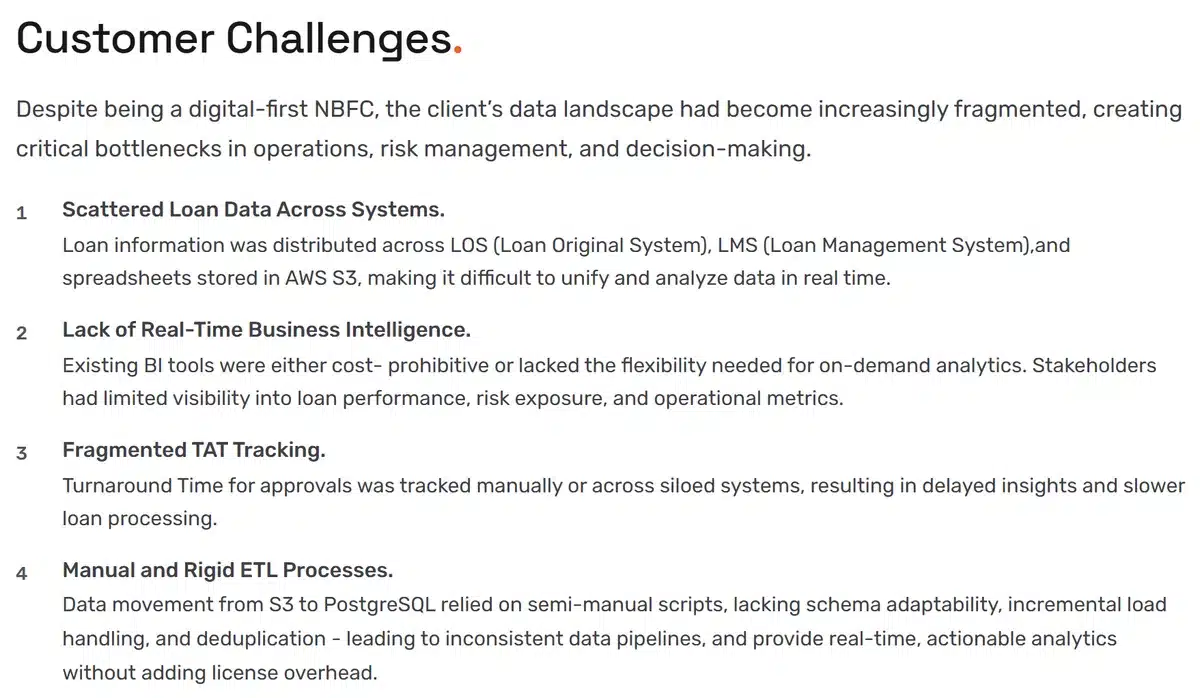
Algoscale is a data engineering team and sells none of the tools ranked here. For the lender in our case study, loan data moved from S3 to PostgreSQL through semi-manual scripts. We replaced them with an AWS Glue build that handles schema evolution, incremental loads and deduplication, with AWS Step Functions handling errors and retries.

Key Features
- Incremental loads with schema evolution
- Deduplication by composite keys and hash validation
- Error handling and job retries through AWS Step Functions
Pros and Cons
Pros
- Covers a source no connector handles well: in the cited engagement, loan data landing in S3 from internal systems
- Builds in schema evolution, incremental loads and deduplication, which is where the client’s scripts fell short
- Works inside the client’s own environment; our services page describes builds “in your own cloud account”
Cons
- Not software, so you still pay for the cloud services underneath
- No public price; every engagement is scoped
- One cited engagement, on AWS, and its 60% figure is a reported outcome of the whole engagement
- No G2 or PeerSpot reviews; the evidence is our own case study
- Algoscale’s own site lists AWS among its technology partners, and AWS makes Amazon Kinesis, ranked fifth here
From Our Case Study
Built an AWS Glue-based pipeline supporting schema evolution, incremental data loads, and deduplication using composite keys and hash validation.
Algoscale case study (page read 14 November 2026)From our own published case study, quoted as written.
60% decrease in manual data handling time, allowing teams to focus on strategic tasks.
Algoscale case study (page read 14 November 2026)A reported outcome of the engagement as a whole, which also built dashboards. The case study does not credit it to the loads alone.
Pricing
Scoped per project. No rate card is published. The cloud services the loads run on, in the cited engagement AWS Glue, S3, Step Functions and PostgreSQL, are billed to you by the cloud provider.
Bottom Line
Worth a call when the source is one of your own systems and the scripts that load it break each time a column changes or a file lands twice.
Use a connector tool for the SaaS sources; bring us in for the internal exports nothing in a catalogue covers.
4. Apache Kafka: Best for Platform Teams Feeding the Lake From Many Event Producers
What it does: An open-source event streaming platform. Its Kafka Connect framework runs source and sink connectors that stream data into Kafka and out to lakes, warehouses and other systems.
Who this is for: Companies with a platform or infrastructure team that already runs streaming services, or will pay Confluent to run them, and many producers writing events. The reviewers quoted below describe the operating load that comes with it.
Kafka sits fourth because it runs on any cloud, while the next two streaming services are each tied to one. Producers write events to topics, and Kafka Connect, “a tool for scalably and reliably streaming data between Apache Kafka and other systems”, runs the sink connectors that land them. Leaving Kafka? Our Kafka alternatives post compares brokers.

Key Features
- Kafka Connect source and sink connectors, with offset commits managed automatically
- Standalone mode for development, distributed mode as a central service
- Connectors submitted and managed through a REST API
Pros and Cons
Pros
- Free to run, with 92 PeerSpot reviews, the most here
- One stream can feed the lake, the warehouse and live consumers, and be replayed
- Scales out under load: one architect adds nodes “without shutting down the environment” (AnilKumar40, 21 May 2026)
- A managed route exists, with Confluent Cloud’s Basic tier starting at $0 a month
Cons
- Landing data in a warehouse still needs a sink connector and someone to run Connect
- Ongoing management and tuning take steady effort, as both reviews quoted below describe
- Confluent bills managed connectors per GB and per task-hour but prints no rates on its pricing page
What Users Say
The initial setup is simple, but the ongoing management becomes challenging.
AnilKumar40, Senior Principal Architect at a computer software company, on PeerSpot, 21 May 2026

It’s a trial-and-error process with no one-size-fits-all solution. Issues may arise until it’s appropriately tuned.
Rotem Fogel, R&D Director at a tech vendor, on PeerSpot, 26 November 2024

Pricing
Apache Kafka: $0 under the Apache License 2.0; you pay for servers and operators. Managed Kafka is priced by Confluent. On its pricing page (read 14 November 2026), Confluent Cloud Basic starts at $0 a month, and Standard and Enterprise show an Estimated Monthly Starting Cost of about $385 and about $895; Confluent notes that the estimate assumes 70% utilization. Connectors are billed on throughput ($/GB) plus a task base price ($/task/hour), with no rates printed.
Bottom Line
Choose it when the events already exist and more than one system needs them. When the warehouse is the only destination, a connector tool or Firehose gets the data there with less to run.
A strong backbone for event data, provided you budget for the people who keep it tuned.
5. Amazon Kinesis: Best for AWS Teams Landing Streams in S3 or Redshift Without Brokers
What it does: AWS’s managed streaming pair: Kinesis Data Streams captures events, and Amazon Data Firehose delivers streams into S3, Redshift, Apache Iceberg tables, Snowflake and other destinations, with no servers to run.
Who this is for: AWS-standardised companies with nobody on staff to run brokers.
Two AWS services work as a pair here. Data Streams holds the events, and Firehose delivers them, converting JSON to Parquet or ORC on the way in if you ask. Retention runs from 24 hours to 365 days.


Key Features
- Firehose delivery to S3, Redshift, Iceberg tables, Snowflake, OpenSearch and HTTP endpoints
- JSON-to-Parquet or ORC conversion in Firehose
Pros and Cons
Pros
- No brokers or clusters to run; on-demand mode handles capacity for you
- Firehose lands data straight in S3, Redshift or Iceberg tables
- Every rate is published per GB and per hour, so a bill can be modelled before the first event
- Fits the rest of AWS: “The integration between Amazon Kinesis and Lambda helps us significantly” (reviewer1480695, 9 October 2025)
Cons
- AWS only; Firehose destinations are AWS services or named partners
- Firehose rounds each record up to the next 5 KB (a 3 KB record bills as 5 KB, a 12 KB record as 15 KB), which adds cost on small events
- Data Streams is not in the AWS Free Tier, so even a test costs money
- One PeerSpot reviewer is weighing a move away over cost, quoted below
What Users Say
We are contemplating moving away from Amazon Kinesis primarily because of the cost.
reviewer1480695, Director of Software Development at a tech vendor, on PeerSpot, 9 October 2025

Amazon Kinesis is easy to get started with, provides good documentation, and has a multilang daemon interface that makes it programming-language agnostic.
Chandra Mohan Dhanasekaran, AWS Cloud Architect at a healthcare company, on PeerSpot, 4 May 2025

Pricing
Data Streams, On-demand Standard: $0.040 per stream-hour, $0.08 per GB ingested and $0.040 per GB retrieved. These rates come from the US East worked examples on AWS’s Data Streams pricing page, read 14 November 2026.
Firehose: $0.029 per GB ingested for the first 500 TB a month, counted in 5 KB increments per record for Direct PUT and Kinesis Data Streams sources. Its pricing page names no region for that rate. Format conversion adds $0.018 per GB, delivery to Iceberg tables from Data Streams costs $0.045 per GB, and there are no set-up fees.
Bottom Line
For an AWS team with nobody to run brokers, there is less to operate here than with Kafka. Teams on other clouds can pass it by.
Check your record sizes against the 5 KB rounding first, and budget for testing, since Data Streams has no free tier.
6. Google Cloud Dataflow: Best for Batch and Streaming Loads Into BigQuery
What it does: Google Cloud’s managed Apache Beam service. For ingestion, Google ships ready-made templates such as Pub/Sub to BigQuery, Kafka to BigQuery and JDBC to BigQuery that run batch or streaming loads without pipeline code.
Who this is for: Google Cloud data teams loading Pub/Sub streams, Kafka topics or relational databases into BigQuery, with engineers who can write Beam when a template does not fit.
Dataflow is a processing engine that earns a place on an ingestion list through Google’s own templates: “Google provides open source Dataflow templates that you can use instead of writing pipeline code.” Pub/Sub, Kafka, MongoDB and JDBC databases each have a ready-made route into BigQuery, and the same Beam model runs batch and streaming.

Key Features
- Streaming templates into BigQuery from Pub/Sub, Kafka, Datastream, MongoDB and text files on Cloud Storage
- Batch templates into BigQuery from JDBC, MySQL, PostgreSQL, Oracle and SQL Server
- A Change Data Capture template from MySQL to BigQuery
- FlexRS discount for batch jobs that can wait
Pros and Cons
Pros
- The common landing jobs come as templates, with no code to write
- Fits the rest of Google Cloud: “The integration within Google Cloud Platform is very good” (Sunil Miragi, 21 March 2025)
- FlexRS bills batch jobs at about 40% off vCPU and memory cost
Cons
- Google Cloud only; the templates target BigQuery and Cloud Storage
- A streaming worker defaults to 4 vCPUs and 15 GB of memory, so an always-on stream has a floor cost
- Past the templates, you write and maintain Apache Beam code
What Users Say
Google Cloud Dataflow has made it very easy for detailed monitoring and logging features for pipeline performance assessment.
Mohammed Aaqibuddin, Senior CDP Specialist at DigitasLBi, on PeerSpot, 30 March 2026

Occasionally, dealing with a huge volume of data causes failure due to array size.
Sunil Miragi, Senior Software Engineer at Dun & Bradstreet, on PeerSpot, 21 March 2025

Pricing
Usage-based, billed per second. At us-central1 rates, batch costs $0.056 per vCPU-hour, $0.003557 per GiB-hour of memory and $0.011 per GiB shuffled. Streaming costs $0.069 per vCPU-hour, $0.003557 per GiB-hour and $0.089 per Streaming Engine compute unit. From Google’s Dataflow pricing page, read 14 November 2026.
Bottom Line
On Google Cloud, with sources that match a template, it is the route into BigQuery that Google itself maintains. Off Google Cloud it has no role here.
Start from a template, and plan for Beam skills if your sources outgrow them.
7. Apache NiFi: Best for Self-Hosted File and Sensor Ingestion With Record-Level Provenance
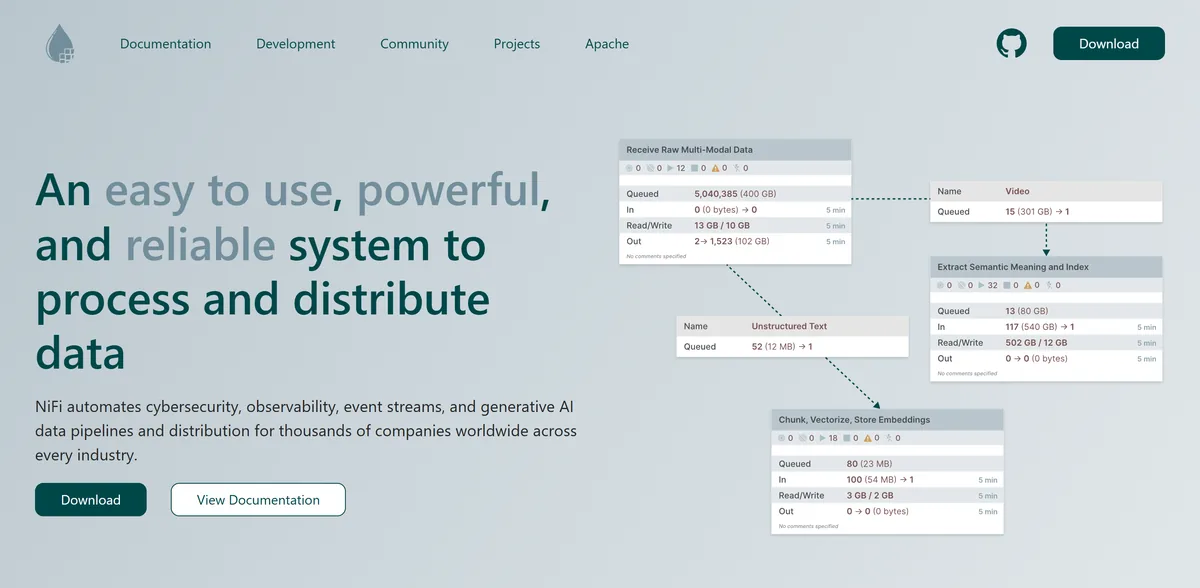
What it does: An open-source dataflow system with a browser-based designer for moving files, records and events between systems, recording provenance for every piece of data it touches.
Who this is for: Organisations that keep data on their own infrastructure, whether on-prem, regulated or at the edge, and need an audit trail per record, with an ops team to run it.
NiFi’s processors include ListSFTP, FetchFile, TailFile and ConsumeMQTT, so it reaches SFTP servers, local disks, log files and MQTT brokers, and MiNiFi agents collect data “at, or directly adjacent to, source sensors, systems, or servers”. It ranks last because the fit is narrow: self-hosted sources and a team willing to run one more service.

Key Features
- Browser-based drag-and-drop flow design
- Fine-grained provenance with replay
- MiNiFi agents for collecting data at the source
Pros and Cons
Pros
- Provenance for every piece of data, with replay, per the user guide
- Free, and it runs where the data is: on-prem, in your cloud account or as MiNiFi beside the source
- Loss-tolerant or guaranteed delivery, with back pressure control
Cons
- You run it yourself; the Apache project offers no managed service
- Moving flows between environments with approvals and RBAC is “somewhat tricky”, says the architect quoted below (Yamini Vadlamudi, 22 December 2025)
- NiFi 1.x went out of support on 8 December 2024, so older installs need a 2.x upgrade
What Users Say
Apache NiFi is the heart of data ingestion for the entire platform and tremendously makes the platform reliable and useful for customers without crossing any SLAs.
Yamini Vadlamudi, Architect at a company of 51-200 employees, on PeerSpot, 22 December 2025

The biggest challenges I have faced while using Apache NiFi revolve around reliability; I have seen Apache NiFi crashing at times, which is one of the issues we have faced in production.
Debashish Dhar, Manager at a tech company, on PeerSpot, 4 December 2025

Pricing
$0. NiFi is Apache License 2.0 software. The download page lists 2.12.0, released 13 September 2026, alongside MiNiFi Java 2.12.0 and MiNiFi C++ 1.1.0, with no price and no sign-up. What you pay for is the servers and the people who run it.
Bottom Line
Pick it when files and device data come from systems you host and an auditor will ask where each record went. SaaS sources are better served by the connector tools at the top of the list.
Run it when you need per-record provenance and have the staff to keep it running.
Which Data Ingestion Tool Should You Choose?
Several names that come up in this search are compared elsewhere on our site. For a cheaper managed connector tool, Stitch, Hevo Data, Estuary and dlt are in our Fivetran alternatives post. On Azure, Data Factory’s Copy activity is the native ingestion route, and we rank it with the schedulers in our data orchestration tools comparison. For open-source change data capture into Kafka, Debezium is the usual pairing.
| Your situation | Start with | Why |
|---|---|---|
| Mostly SaaS apps and databases, with nobody to maintain connectors | Fivetran | 750+ maintained sources and a free plan to test |
| The same sources, plus an engineer who can run Kubernetes | Airbyte | Free self-hosted Core and connector code you can fork |
| Internal exports in cloud storage, loaded by scripts that keep failing | Algoscale | Incremental, deduplicated loads engineered for that source |
| Many event producers and several consumers, on any cloud | Apache Kafka | One replayable stream with Kafka Connect on both ends |
| Events on AWS headed for S3, Redshift or Iceberg tables | Amazon Kinesis | Firehose delivers them with nothing to run |
| Google Cloud, with BigQuery as the destination | Google Cloud Dataflow | Templates for Pub/Sub, Kafka and JDBC sources |
| Files, logs or sensor data from systems you host | Apache NiFi | SFTP, file and MQTT processors, plus per-record provenance |
Skip this category entirely if:
- Your warehouse’s own ingestion feature, such as Snowpipe or Auto Loader, already reaches every source you have.
- You need data moved once, for a cutover. Our data migration tools comparison covers that job.
What’s the Best Data Ingestion Tool in 2026?
Decide the landing mode first, and most of this data ingestion software drops out. For connector-style loads from SaaS apps and databases, Fivetran suits a team that wants to own nothing and Airbyte a team that wants to own the code, which mostly comes down to whether someone on staff can run it.
For streams, your cloud makes the call. On AWS, Amazon Kinesis with Firehose lands events with the least to operate. On Google Cloud, Google Cloud Dataflow templates do the same job into BigQuery. Across clouds, or when each event has several readers, Apache Kafka is the backbone, and it needs people to operate it.
Files and device data on your own infrastructure point to Apache NiFi and its provenance record.
Some sources fit none of these modes cleanly: internal systems whose exports change shape and arrive twice. Those are the loads Algoscale builds, as the next section describes.
How Algoscale Builds the Loads Your Ingestion Tool Leaves Out
Buying an ingestion tool settles how data moves. It leaves open which sources need custom loads, how each load stays incremental, and what happens when a column is added or a file arrives twice.
Our data engineering team answers those questions with you and builds the result inside your own cloud account. The lender case study shows one such build on AWS, from semi-manual scripts to Glue loads orchestrated by Step Functions.
Neeraj Agarwal, who wrote this comparison, has 16+ years in data engineering and analytics and has led enterprise data warehouse and lakehouse builds for retail, fintech, and manufacturing clients including Walmart and Capital One.
- A source inventory that sorts each feed into connector, stream or custom load
- Incremental loads with schema evolution, so a new column does not stop the load
- Deduplication by composite keys and hash validation
- A Bronze, Silver and Gold lakehouse layout in your own cloud account
Ready to put this into production?
Algoscale’s data engineers have built and migrated data platforms for retail, fintech and manufacturing teams. Book a free consultation and we will scope yours with you.
Frequently Asked Questions
What are the two main types of data ingestion?
Batch and streaming. Batch ingestion moves data in scheduled loads, such as a connector syncing a database’s tables or a nightly file drop. Streaming ingestion, the job real-time data ingestion tools do, moves each event as it is produced, through a service such as Apache Kafka, Amazon Kinesis or a Google Cloud Dataflow streaming job. Many teams run both, batch for SaaS and database tables and streaming for clickstreams, logs and device data.
What are the methods of ingestion?
Four methods cover most cases: batch loads, streaming, change data capture (CDC) and file ingestion. Batch connectors such as Fivetran and Airbyte sync tables from SaaS apps and databases on a schedule. Streaming services such as Kafka and Kinesis carry events as they happen. CDC reads a database’s changes so updates arrive without a full re-read; Google ships a Dataflow template for CDC from MySQL to BigQuery, and Debezium does the same into Kafka. File ingestion collects files from SFTP servers, local disks or cloud storage, which Apache NiFi handles with its SFTP and file processors.
What is data ingestion?
Data ingestion is collecting raw data from SaaS apps, databases, event streams and files and landing it in a lake or warehouse for analysis. It runs as scheduled batch loads or as a continuous stream, and it comes before any transformation or reporting.
Are there free, open-source data ingestion tools?
Yes. Apache Kafka and Apache NiFi are free under the Apache License 2.0. Airbyte Core is free to self-host under the Elastic License 2.0, which is source-available and bars reselling it as a managed service. Free means no licence fee: you still pay for the servers and the people who run them. Among the managed services, Fivetran has a Free plan up to 500,000 monthly active rows.