



Something happened in this category in July that most comparison pages have not caught up with. Prefect bought Dagster. Two of the tools you are probably weighing against each other are now sold by one company, and dagster.io already carries a Prefect copyright notice at the bottom of every page.
Nick Schrock, Dagster’s founder, announced it on 13 July 2026. This comparison starts there, then gets to the two questions that actually decide an orchestrator: what it costs when you are not looking, and how much of your team’s week it eats.
Five data orchestration tools, every price read off the vendor’s own page this week, and the awkward parts left in.
5 Best Data Orchestration Tools: Quick Comparison
| Tool | Best For | Public Reviews | The Catch | Starting Price | Access |
|---|---|---|---|---|---|
| 1Dagster | Teams who think in tables | HN: strong model, credit bills bite above the included 30k | Now owned by Prefect, two entries below | $10/mo Solo, $100/mo Starter | 30-day trial, no call |
| 2Apache Airflow | Anyone who wants no vendor | Reddit: 116 of 187 votes, and the answers are all public | Free until you count the engineer | $0, or $0.49/hr on MWAA | Open source |
| Algoscale | Building what it orchestrates | No public reviews: case studies only | Not a product, a scoped engagement | Not public | Consulting |
| 3Prefect | Starting this afternoon | Reddit: easiest start, thinnest answers outside the docs | $100 per user per month on Team | Free Hobby tier | Free forever tier |
| 4Kestra | Pipelines a non-coder can read | HN: runs on one node, YAML templating is a known sore point | No price published anywhere | $0 open source | Self-host, or request access |
| 5Azure Data Factory | Teams already on Azure | Reddit + HN: hosts Airflow for you, overkill for small jobs | Five meters to forecast one month | $1 per 1,000 runs | Inside your Azure bill |
Scroll the table sideways for public reviews, price and access.
Not sure which of these fits your stack?
Tell us what you are running today and what you need it to do. We will tell you which of these we would pick, and why. We are not going to pitch you.
How We Compared These Data Orchestration Tools
We did not run these tools for this post. Four of the five are open source and anyone can install them, which makes a hands-on comparison a better post than this one. It is not the post we wrote, and we are not going to imply otherwise.
What we did do is read every pricing page on 27 October 2026 and write down what it says, units included; pull the GitHub numbers from the API rather than somebody’s blog; and read eleven practitioner comments across r/dataengineering and Hacker News. Every quote links to the comment it came from. The shortlist itself came from the nine sources ranking for this term.
What we weighed, heaviest first
- What it costs when nobody is watching – an idle environment still bills, and credits run out quietly
- Whether the price is published at all – two of these five will not show you a number
- Who owns it now – this category consolidated in July and the buyer inherits your roadmap
- How much of a week it takes to run – the cheapest licence here is also the most expensive to operate
Data Orchestration vs ETL: What You Are Actually Buying
An ETL tool moves data. An orchestrator decides what runs, in what order, and what happens when step four fails at 3am. Plenty of ETL tools schedule things, which is why the two words get used interchangeably, and why people end up buying a second tool to do a job the first one was already half doing.
If your failures look like “the API changed and the load broke”, that is an ETL problem. If they look like “the load worked but ran after the dashboard refreshed”, that is orchestration, and no connector catalogue will fix it. If the failures are really “the data arrived and it was wrong”, neither will help: that is a job for data observability tools.
| Your situation | What to reach for | Why |
|---|---|---|
| A handful of Python scripts on cron | Prefect’s free tier | Decorate the functions you already have and you have retries, logging and a schedule by lunchtime. |
| dbt is the centre of your stack | Dagster | Assets map onto models directly, so the graph is the thing you already think about. |
| Nobody on the team writes Python | Kestra or Azure Data Factory | YAML and a visual designer are both readable by people who are not engineers. |
| You expect to still be running this in ten years | Apache Airflow | Apache governance means the project cannot be bought out from under you, which is exactly what happened to one entry on this list in July. |
1. Dagster: Best for Teams Who Think in Tables, Not Tasks
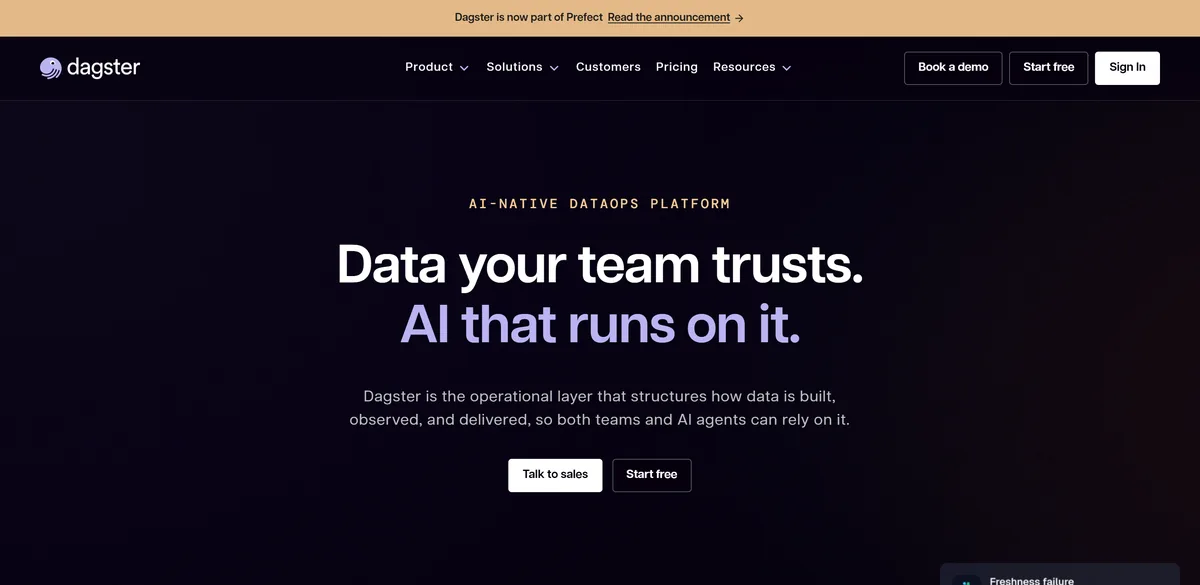
What it does: Asset-centric orchestration. You declare the tables and files your pipelines produce and Dagster works out what to run.
Who this is for: Data teams whose work maps onto models and tables, usually dbt shops, who want to see a price before they see a salesperson.
Most orchestrators ask you to describe steps. Dagster asks what comes out the other end and derives the steps, which suits anyone whose mental model is already a list of tables. The prices are published too: Solo $10 a month, Starter $100, Pro a conversation. Credits are billed on top, and that is where people get caught.


Key Features
- Assets rather than tasks, so runs follow from what you declare
- Solo $10 and Starter $100 a month, both with a 30-day trial
- Built-in catalog, data quality checks and cost insights
Pros and Cons
Pros
- A published price and a trial you can start without talking to anyone
- The asset model genuinely fits dbt-shaped work
- Open source under Apache-2.0, so the floor is yours
Cons
- Credits on top of the plan make a month hard to forecast
- Owned by Prefect since July, which is also entry 3 on this list
- 2,617 open issues against 16.3k stars
What Users Say
Then you realize that their cloud pricing is absolutely bonkers if you go over the paltry 30k credits, unless you sign up for a meaty annual enterprise contract. Got a $500 bill for something like 13k executions over the limit.
jscheel on Hacker NewsHacker News comment, 2025-08-09.
Add a “last updated” note, since this space changes often (see the prefect/dagster situation that just happened)
otter-in-a-suit on Hacker NewsHacker News comment, 2026-07-16.
Pricing
Solo $10 a month, Starter $100, Pro by quote. Credits are extra at $0.040 (Solo) or $0.035 (Starter), plus $0.010 a minute of serverless compute. Both self-serve plans include a 30-day trial.
Bottom Line
The best-shaped tool here for a dbt team, and the shape has not changed since July. Who you are buying from has.
A clear model and a readable price, from a company that was acquired in July.
2. Apache Airflow: Best When You Want No Vendor At All
What it does: The default open-source scheduler. Python DAGs, an enormous operator library, and a managed version on every major cloud.
Who this is for: Teams with somebody who can own infrastructure, or who will pay a cloud to own it for them.
Airflow won by being everywhere: 47,291 GitHub stars, and 116 of 187 votes in a 2023 r/dataengineering poll. Whatever breaks, somebody has already posted the answer. The free part is the licence. Paying AWS to run it starts at $0.49 an environment-hour, and their own large-environment example lands at $1,047.46 a month, $736.56 of it before a single task runs.


Key Features
- Python DAGs with the widest provider library in the category
- Managed options from AWS, Google and Astronomer
- Apache-2.0, 47.3k stars, Apache Software Foundation governance
Pros and Cons
Pros
- Apache governance: no company can reprice it or sunset it
- The largest community here by a wide margin, which shows up as search results
- A managed version on every cloud if you change your mind about running it
Cons
- The licence is free and the operations are not
- Managed environments bill by the hour whether or not anything runs
- Scheduler-first, so data assets are something you add on top
What Users Say
Airflow is very versatile, doesn’t focus itself on data tasks but in task orchestration in general. It is also kind of a standard choice now.
ergosplit on RedditFrom a thread posted in 2023 and since archived, so read it as what practitioners said then.

managing Airflow can quickly become complicated. Its flexibility means that you can stretch Airflow in pretty interesting ways. Especially when trying to pair container orchestrators like k8s with it.
ricklamers on Hacker NewsHacker News comment, 2022-02-15.
Pricing
Free under Apache-2.0. On AWS, $0.49 an hour for a small environment and $0.99 for a large one, plus workers and the metadata database; AWS’s worked example totals $1,047.46 a month.
Bottom Line
The one with no counterparty risk. Cost it honestly: an engineer’s time is the real licence fee.
The safe long-term answer. Its true price is an engineer’s time, which no plan page shows you.
Algoscale: The Team That Writes What the Orchestrator Runs
What it does: We are not a tool on this list. We are the data engineering team that builds the pipelines an orchestrator schedules, and hands them over.
Who this is for: Mid-market and enterprise teams with a migration in flight and no spare engineers to write the pipelines it needs.
Picking the orchestrator takes an afternoon. Moving twenty undocumented jobs into it without losing a night’s data is the part that stalls. We do that, on whichever of these five you chose: on a recent AWS modernisation every pipeline shipped with “orchestration, retry mechanisms, business logic, alerting, and observability from day one, not retrofitted later”.
Key Features
- Migration from cron, SSIS or a hand-rolled scheduler
- Pipelines written to be orchestrated from the first sprint
- Alerting and checks around every scheduled job
Pros and Cons
Pros
- Platform-agnostic: we resell none of the five above
- Published case studies you can read in full
- Answers the question this list leaves open
Cons
- Not a product: no free tier, no download
- Scoped work costs more than a licence
- Unnecessary if your team has done this before
What Users Say
data refreshes automatically twice daily with full pipeline observability
From the AWS data warehouse modernization case study on algoscale.com
Pricing
Scoped per engagement. There is no list price, and a range invented for a blog post would be a guess.
Bottom Line
Worth a conversation if the orchestrator is chosen and the pipelines are the actual problem. If you have the engineers, you do not need us.
For teams who have picked the tool and still have twenty jobs to move into it.
3. Prefect: Best for Getting Something Running This Afternoon
What it does: Python-native orchestration with no DAG objects to assemble. Decorate a function and it becomes a flow.
Who this is for: Python teams who want orchestration today without standing up infrastructure first.
The Hobby tier is free forever and covers two users, five deployments and 500 minutes of serverless compute, which is enough to move a real nightly job off cron tonight. Then the pricing changes shape: Starter is $100 a month flat, Team is $100 per user per month, so eight people cost $800. SSO and RBAC are Enterprise only.

Key Features
- Decorator-based flows, no graph to declare up front
- Hobby tier free forever, including scheduling and alerting
- Bring your own compute from the $100 Starter tier
Pros and Cons
Pros
- The only free tier here you can run something real on
- Dynamic workflows without fighting a static graph
- Fewer open issues per star than Airflow or Dagster
Cons
- $100 per user per month gets expensive fast on Team
- SSO and RBAC are gated to a custom-priced tier
- Reviewers say answers are hard to find outside the official docs
What Users Say
If you want to stay on windows Prefect
mikeupsidedown on RedditFrom a thread posted in 2023 and since archived, so read it as what practitioners said then.
I found that when I used Prefect, there wasn’t much help outside of their provided docs. Granted Prefect is relatively new so this is to be expected.
latro87 on RedditFrom a thread posted in 2023 and since archived, so read it as what practitioners said then.

Pricing
Hobby free forever: 2 users, 5 deployments, 500 serverless minutes. Starter $100 a month. Team $100 per user per month for 4 to 8 users. Enterprise is custom, and that is where SSO and RBAC live.
Bottom Line
The fastest way to find out whether orchestration helps you at all. Check the Team maths before you grow into it.
Free to start, and priced per head once the team grows.
4. Kestra: Best When the Pipeline Owner Doesn’t Write Python
What it does: Declarative orchestration in YAML, with a plugin library instead of a Python API. Open source, with Enterprise and Cloud editions above it.
Who this is for: Teams where the people maintaining pipelines are analysts or platform engineers rather than Python developers.
A Kestra flow is a YAML file, so an analyst can read it and change a schedule without learning a framework. 30,032 GitHub stars say that is not a niche idea. The catch is that neither paid edition shows a price: Enterprise is quoted by sales, and Kestra Cloud sits behind a Request Access form.

Key Features
- Workflows in YAML, versioned like any other file
- Plugin library covering databases, clouds and queues
- Cloud, on-premises or air-gapped deployment
Pros and Cons
Pros
- Per-instance pricing rather than per-user, which ages better
- Readable by people who do not write Python
- Air-gapped deployment is a published option you can read about
Cons
- No published price for either paid edition
- YAML stops being pleasant once the logic gets conditional
- Templating syntax has been a known sore point for years
What Users Say
I’d recommend Kestra since it can be run on a single node
katrotz on Hacker NewsHacker News comment, 2024-07-23.
Damn shame they stepped on the same jinja2-in-yaml landmine as ansible, using “{{” as template markers
mdaniel on Hacker NewsHacker News comment, 2022-04-02.
Pricing
The open-source edition is free. Enterprise is an annual per-instance subscription with no published figure, and Kestra Cloud is behind a Request Access form.
Bottom Line
Worth a look if your pipeline owners are not engineers and you can self-host. Budget for a sales call first.
Readable by non-engineers, with a price you cannot see.
5. Azure Data Factory: Best If Your Company Already Bought Azure
What it does: Microsoft’s managed orchestration and data movement service, built in a visual designer and billed per activity run.
Who this is for: Organisations standardised on Azure, especially where the person building pipelines is not a Python engineer.
Nobody shortlists ADF. Azure teams arrive at it, because it is already in the agreement, and it will even host managed Airflow for you. Every rate is published to four decimals: $1 per 1,000 activity runs, $0.25 per DIU-hour, $0.005 an hour for pipeline activities. Still five meters to add up.

Key Features
- Per-activity-run billing with no platform fee
- Visual designer, no Python required
- Managed Apache Airflow inside the same service
Pros and Cons
Pros
- Every unit price is published
- Nothing to deploy, patch or keep running
- Already inside the contract for most Azure shops
Cons
- Five meters make a monthly forecast a spreadsheet exercise
- Version control and code review are awkward in a designer
- Outside Azure it makes very little sense
What Users Say
You can set up your DAGs in a managed Airflow under Azure Data Factory. Saves you having to deploy and manage your own Airflow infra.
Bastor on RedditFrom a thread posted in 2023 and since archived, so read it as what practitioners said then.

Do I 1) stand up Azure Data Factory and build a pipeline to take the CSV from blob storage, massage it, and upsert the db or 2) write a few lines of C#+SQL to suck in the CSV and do the same? … But even so, I went with #2 … these huge data pipeline tools just seem like overkill
shireboy on Hacker NewsHacker News comment, 2023-01-30.
Pricing
$1 per 1,000 activity runs ($1.50 self-hosted), data movement at $0.25 per DIU-hour, pipeline activities at $0.005 an hour. No platform fee.
Bottom Line
The path of least resistance inside Azure, and pointless outside it.
The Azure default: published to four decimals, and only sensible inside Azure.
Which Data Orchestration Tool Should You Choose?
Choose Dagster if:
- Your pipelines produce tables and models you can name
- You want a price without booking a call
Choose Apache Airflow if:
- Somebody on the team can own infrastructure
- You want every answer to be a search away, not a support ticket
- You are weighing Airflow alternatives and want the incumbent on the list too
Choose Prefect if:
- You want something running this afternoon for nothing
- Your flows are dynamic enough that declaring a graph up front is a fight
Choose Kestra if:
- The people who maintain pipelines are not Python engineers
- You need air-gapped deployment
Choose Azure Data Factory if:
- Your company has already bought Azure
- You would rather pay per run than run a server
Skip this category entirely if:
- Cron is still working and nobody is being paged. An orchestrator is for when dependencies between jobs start to matter.
- The real problem is that nobody owns the pipelines. A tool will not fix that, and it adds a second thing nobody owns.
What’s the Best Data Orchestration Tool in 2026?
Start with Prefect’s free tier if you want something running today, and with Dagster if your work is shaped like dbt models. Both now come from the same company, which is either reassuring or alarming depending on how many acquisitions you have lived through.
Choose Airflow if the horizon is long. It is the only option here that no company owns, and 47,000 stars mean your error message has already been answered. And if your pipelines are really held together by three scripts and a prayer, fix that first. An orchestrator makes a reliable pipeline easier to run and an unreliable one fail on a schedule.
After You Choose: Who Writes the Pipelines
Every tool above runs work somebody else has to write. That is the part teams underestimate: the orchestrator goes in during week one, and six weeks later there are still four scripts nobody has moved because the logic inside them was never written down.
Algoscale’s data engineering team does that work: ingestion, modelling, the pipelines themselves, and the handover afterwards. We are not reselling any of the five above, so which one we recommend depends on your stack. On a recent AWS warehouse modernisation every pipeline shipped with orchestration, retries and alerting built in from the first sprint.
- Migration off cron, SSIS or a hand-rolled scheduler
- Pipelines written to be orchestrated, not retrofitted into a DAG
- Alerting and checks around every scheduled job
- Handover, so your team runs it after we go
Ready to put this into production?
Algoscale’s data engineers have built and migrated data platforms for retail, fintech and manufacturing teams. Book a free consultation and we will scope yours with you.
Frequently Asked Questions
What is the difference between data orchestration and ETL?
ETL moves and transforms data. Orchestration decides what runs, in what order, and what happens when something fails halfway through. Most ETL tools include a scheduler, which is why the terms blur, but a scheduler is not dependency-aware orchestration with retries, backfills and alerting.
Which data orchestration tools are open source?
Four of the five here. Apache Airflow (47.3k GitHub stars), Kestra (30k), Prefect (24.1k) and Dagster (16.3k) are all Apache-2.0 and all actively pushed as of 27 October 2026. Azure Data Factory is the exception: a managed Microsoft service with no open-source edition.
Is Apache Airflow still worth using in 2026?
Yes, if somebody can run it. It took 116 of 187 votes in a 2023 r/dataengineering poll and Apache governance means no vendor can reprice or sunset it. The cost is operational: managed Airflow on AWS starts at $0.49 an environment-hour, and AWS’s own large-environment example comes to $1,047.46 a month.
What does Prefect buying Dagster mean for existing users?
Dagster says the brand continues, the open-source project stays actively developed, and contracts, support and pricing are unaffected. That is a commitment made in July 2026 rather than a track record. If you are choosing between Dagster and Prefect today, the thing that changed is that you are no longer choosing between two companies.
What are the best workflow orchestration tools for data teams?
For most data teams the shortlist is Apache Airflow, Dagster, Prefect, Kestra and, inside Azure, Data Factory. Airflow is the default and the one nobody can reprice. Dagster suits teams who think in tables. Prefect has the only free tier here you can run something real on. Kestra is the one your non-Python colleagues can read. Those five cover the workflow orchestration tools most teams actually choose between in 2026.







